




The Blog
How to Find Low Competition KDP Keywords With Helium 10
Research Bestsellers, Craft Winning Titles, and Earn More Per Book
One of the biggest mistakes new self-published authors make is creating a book first and researching the market second. By the time they realise there is no demand for what they wrote, they have already invested hours into a project that may never sell.
The good news is that flipping that process around is not complicated, and the right tools make it genuinely straightforward.
In this guide, I am walking you through exactly how I use Helium 10 to find bestselling book niches, identify low competition keywords, and craft a title and subtitle that are built to rank on Amazon.
I am also going to show you how to think about your book in terms of multiple income streams from the very beginning, because one book can pay you in more ways than one if you set it up correctly.
Why Keyword Research Comes Before Writing

Your book title and subtitle are locked in the moment your book goes live on Amazon. You cannot change them after publication.
That means if you choose the wrong keywords, or keywords with no search volume, or keywords so competitive that you have no realistic chance of ranking, you are stuck with that decision for the life of the book.
Getting the research right upfront is not optional, it is the foundation everything else is built on.
The goal is to find keywords with high search volume and low competition, which gives you the strongest possible chance of landing on the first page of Amazon search results and staying there.
Helium 10 makes this process faster and more accurate than doing it manually, and I am going to show you exactly what to look at so you are not overwhelmed by the data.
Setting Up Helium 10 for Book Research
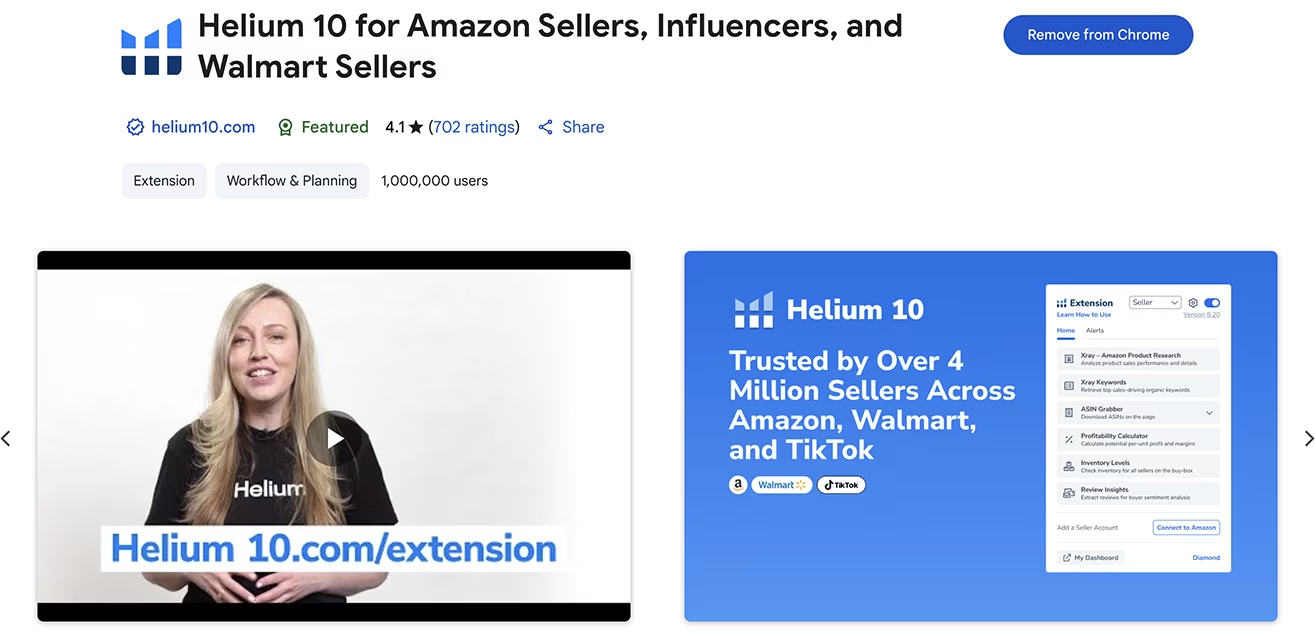
To get started, sign up for Helium 10 HERE for a significant discount. I use the Platinum plan for this level of research.
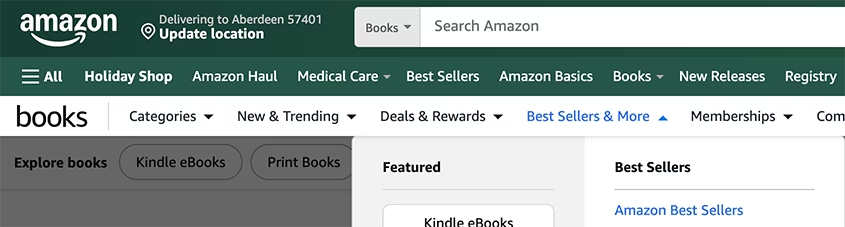
Once you are logged in, install the Helium 10 Chrome extension, then head over to Amazon and click Books in the top menu.
From there, go to Bestsellers and More and select Amazon Bestsellers. This displays all the top-selling books on Amazon, and with the Chrome extension active, Helium 10 overlays useful data for each title directly on the page.
Finding Independently Published Bestsellers
The first thing you need to know is which of these bestsellers are independently published, because those are the ones you can realistically compete with.
So scroll back to the top and press Analyze Products (which opens Helium 10's X-Ray tool), which is the fastest way to view all the book data sorted by bestseller ranking, or BSR. A lower BSR means the book is selling more frequently, and anything under 100,000 is generally a healthy sign. It also offers other valuable data by columns, like publisher, pricing, sales, formats and more, which you can click on to sort.
As I scroll through the results, I notice that the top independently published books in the general bestseller list are mostly coloring books. Those only offer one format, which means one stream of income.
If you want more that one stream of income per book, you want to create books that can be published as a paperback, hardcover, Kindle edition, and audiobook, because that is how one book becomes four income streams.
So I keep scrolling.
In position 67 of the general book bestseller list, I find an independently published high-content book about trusts. Swiping right on the Helium 10 overlay shows it has 2,929 monthly sales and over $70,000 in monthly revenue.
The author has also made it part of a book collection on wealth strategy and published it across all four formats. That is exactly the kind of book we want to reverse engineer.

Niching Down to Find the Real Opportunity
The money niche is strong because financial pain points are universal. People are always looking for help with retirement, budgeting, tax strategy, and wealth building.
But the broad category is competitive, so I start niching down through the left menu in Amazon's bestseller books section.
I move from Business and Money into Personal Finance, then into Budgeting and Money Management, and finally into Retirement Planning.
Each time, I click Analyze Products and sort by the Publisher column to surface the independently published books faster.
What I find in Retirement Planning is promising: several independently published books with solid monthly revenue, good BSR numbers, and in some cases, fewer than 100 reviews.
Low review counts with strong sales is exactly the combination that signals a real opportunity.
One title catches my attention in particular. It has a BSR of 9,483 and only 22 reviews, yet it is generating $2,923 per month. It is also only 97 pages and currently only available as a Kindle and paperback.
That means there is an immediate advantage available to anyone who creates a similar book and also offers a hardcover and audiobook version.

Adding Books to Your List and Using Black Box
As I work through the categories, I use Helium 10's list feature to save the books I want to compare, by clicking on their pin on the left.
Once I have a solid selection, I press Go to My List, which opens Black Box. This is where Helium 10 lets you view, compare, and even track your saved products over time.
I sort the list by ASIN sales from high to low. Black Box shows pricing, monthly sales, revenue, BSR, review count, and more for each title side by side.
One of the most useful metrics here is the Sales to Review ratio, which tells you how many reviews a book needs in order to generate consistent sales. The lower that number, the easier it is to compete and get sales as a new author with no reviews yet.
The BSR graph icon is also worth clicking on for each book, because it shows how the ranking has changed over time. A book with a consistently strong BSR is a much safer bet than one that spiked briefly and then declined.
This comparison view gives you a clear picture of which topics are genuinely worth entering before you commit to writing a single word.

Reverse Engineering a Bestseller With Cerebro
Once I have identified a winning book I can recreate and compete with, I copy its ASIN and head to the Helium 10 dashboard to use Cerebro.
Cerebro is Helium 10's reverse ASIN tool, and it is one of the most powerful features available for KDP keyword research. You can find Cerebro in the dashboard or under the Products tab in Classic View.
I paste the ASIN and press Get Keywords.
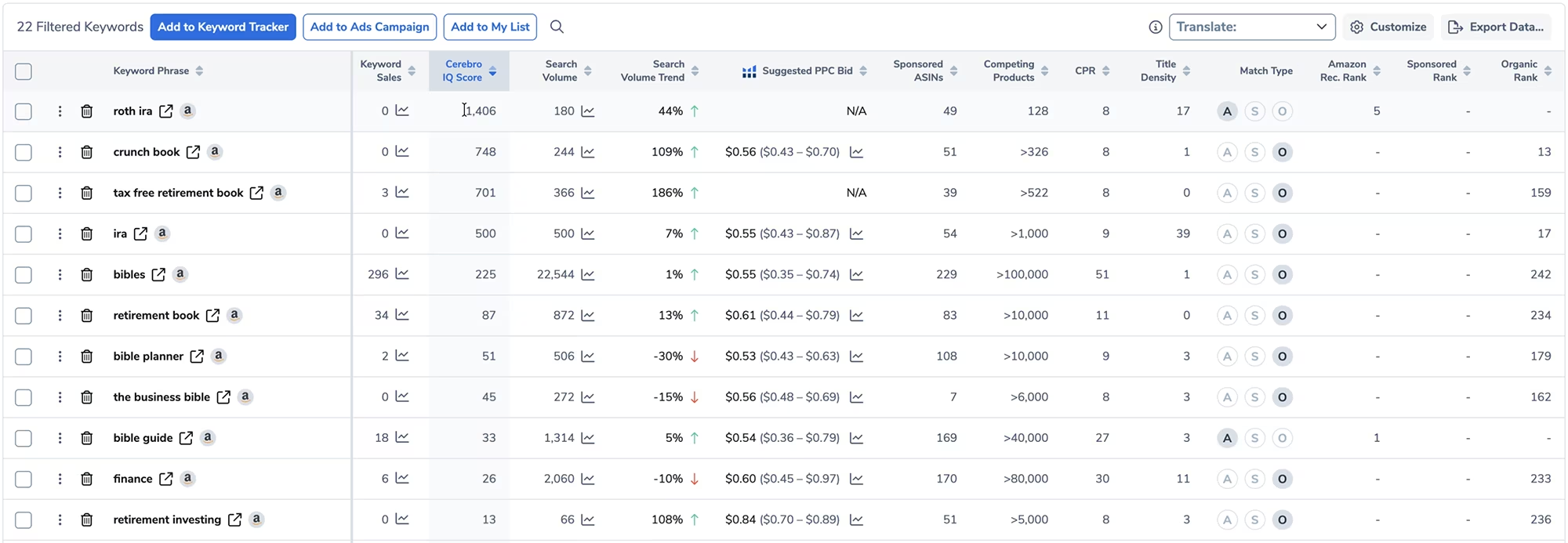
For this particular book, Cerebro returns 22 total keywords, 17 of which are ranking organically. The book is not running any ads at all, which means every sale it gets comes from organic search rankings.
That is a strong signal that the keywords it is ranking for have genuine demand.

What to Look at Inside Cerebro
Cerebro surfaces a lot of data, and it is easy to feel overwhelmed if you do not know what to focus on. Here is exactly what I look at and why.
Organic Rank shows which keywords this book is already ranking for without paid ads. These are the keywords driving its sales naturally, and they are the ones most worth targeting in your own title and subtitle. For this book, the keyword "IRA" stood out as particularly strong.
Amazon Rec Rank shows the keywords Amazon itself considers most relevant to the book. These carry weight because Amazon is essentially telling you what it thinks the book is about, and aligning your title with those signals can help your ranking.
The Cerebro IQ Score is the metric I pay the most attention to. It combines search volume with competition level to give each keyword an opportunity rating. A high IQ score means high demand with low competition, which is exactly what you are looking for. For this book, the keyword "Roth IRA" scored very high.
Sponsored ASINs tells you how many books are running ads for a particular keyword. A higher number means more ad competition, which is useful to know both for organic strategy and for future ad planning.
Competing Products shows how many books are targeting a given keyword. Paired with search volume, this tells you whether a keyword is worth pursuing. A keyword with no search volume and no competition is not an opportunity, it just means nobody is searching for it.
The CPR number tells you how many sales per week you would need to make in order to rank in the top half of the first page for that keyword. The lower the CPR, the more achievable that ranking is for a new book.
Exporting and Organising Your Keywords
Once I have reviewed all the data, I export the keyword lists sorted three ways: by Cerebro IQ Score, by Organic Rank, and by Competing Products. There is other sorting options you could use if you wish, but these are the ones I found most promising for their keyword rankings.
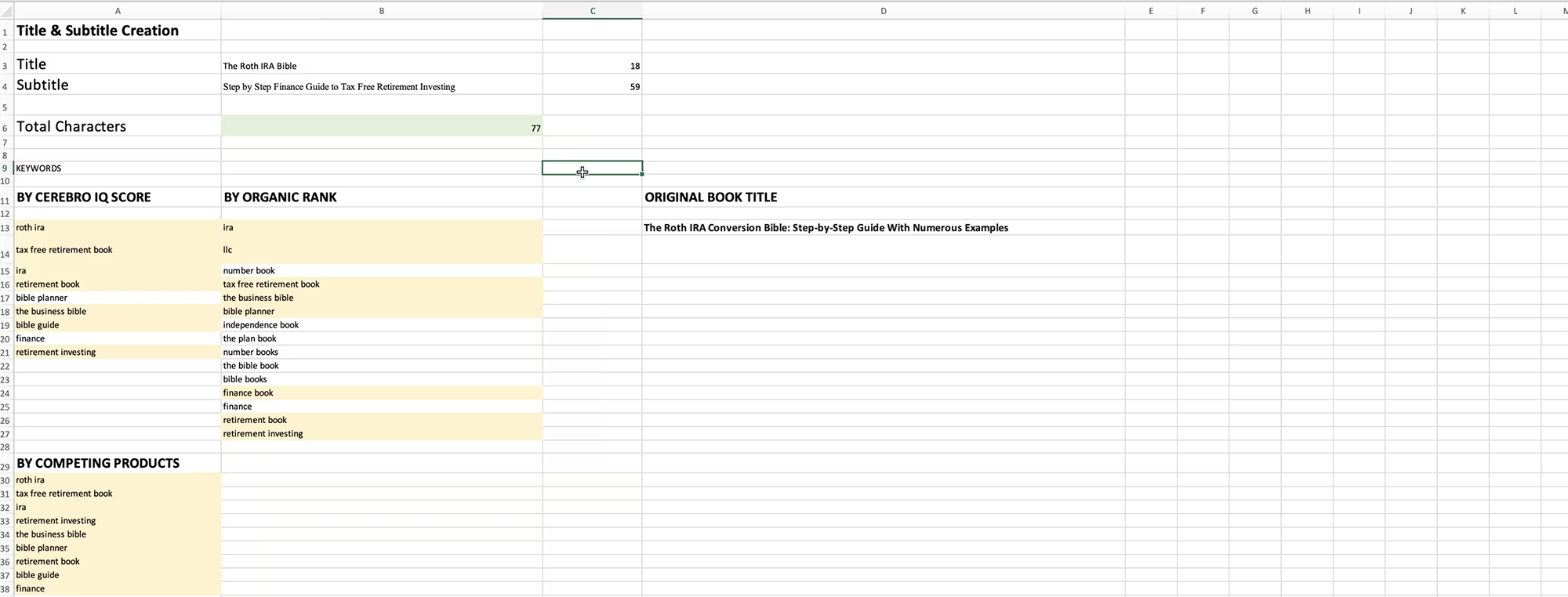
I save each as a separate Excel file and then open them alongside my title and subtitle creation template to begin building the best possible title.
Crafting a Title and Subtitle That Rank and Sell
Your title needs to contain your primary keyword.
Your subtitle needs to include supporting keywords while making a clear, bold promise that speaks directly to your reader's main problem.
Amazon allows up to 200 characters total, but I strongly recommend keeping the combined total under 80 characters so the full title is visible on mobile and in search results without being cut off.
The approach I use is what I call the keyword-driven solution plus bold promise method. The title carries the main keyword, and the subtitle delivers the outcome your reader is buying the book for.
It takes some mixing and matching to get the phrasing to sound natural, but that is worth the time because titles that read awkwardly will not get approved by Amazon, and even if they do, they will not convert (sell) because the potential buyer will not understand what your book is about nor what it offers.
For this particular book, I went through several combinations before landing on a title I was genuinely happy with. The final version was under 90 characters, contained the primary keyword, referenced the step-by-step nature of the content, and made a bold promise about being the only retirement resource the reader would need.
You can keep experimenting with combinations, but at some point you have to commit. Do not overthink it.
One important reminder: the keywords you do not use in your title and subtitle are not wasted. The remaining high-potential keywords from your Cerebro research can and should go into your seven backend keywords and your book description.
Those you can update any time. Amazon penalizes keyword stuffing in titles, and an unnatural title can get rejected or simply ignored by shoppers, so keep it clean and readable.
Planning for Multiple Income Streams
Every time I evaluate a book niche, I am also asking whether the book can exist in multiple formats.
A paperback alone gives you one income stream. Add a Kindle version and you have two. Add hardcover and audiobook and you have four, all from the same content, the same research, and the same marketing effort.
When I spotted that the winning Roth IRA book I found was only available as a Kindle and paperback, that registered immediately as a gap. A competing book that also offered hardcover and audiobook would have a structural advantage from day one.
That kind of thinking, looking for what the market is missing rather than just what the market wants, is what separates authors who build lasting passive income from those who publish once and move on.

What Comes After the Research
Once your book is written and published, the next step is getting reviews before you run any ads.
I have two platforms I trust and use regularly for this.
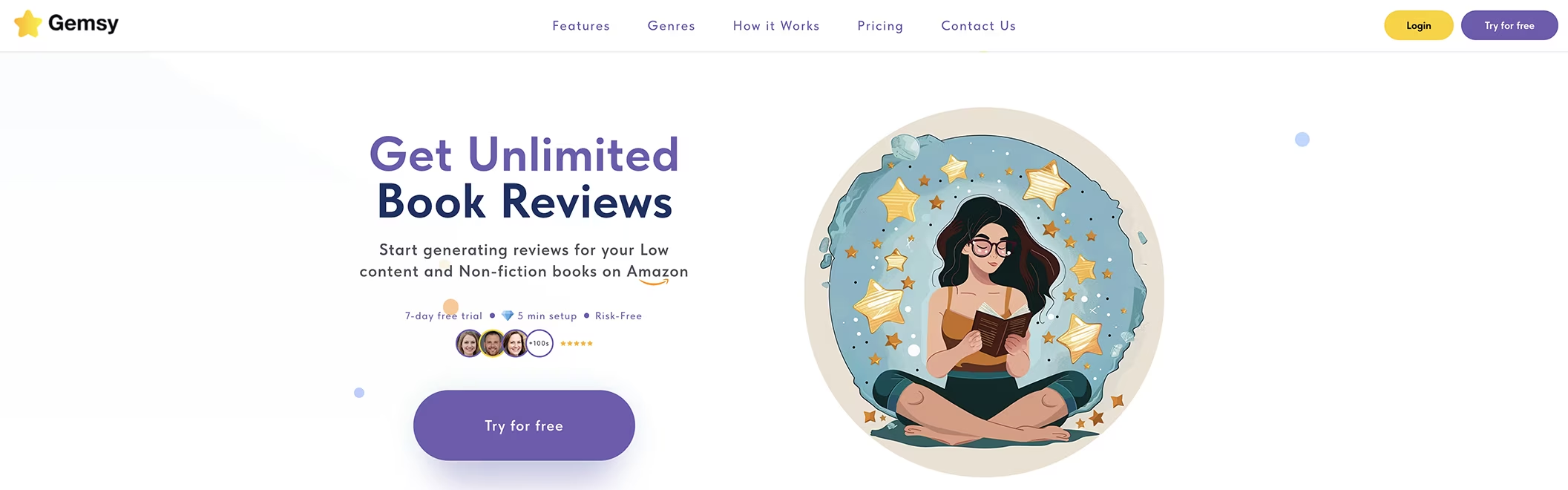
Gemsy works well for all book types including low-content books, and I have been using it safely for over a year. You can try it for free using my link and you get a lifetime 30% discount with my code GABRIELLE30. I created a guide about my experience after one year using Gemsy, you can check it out here.
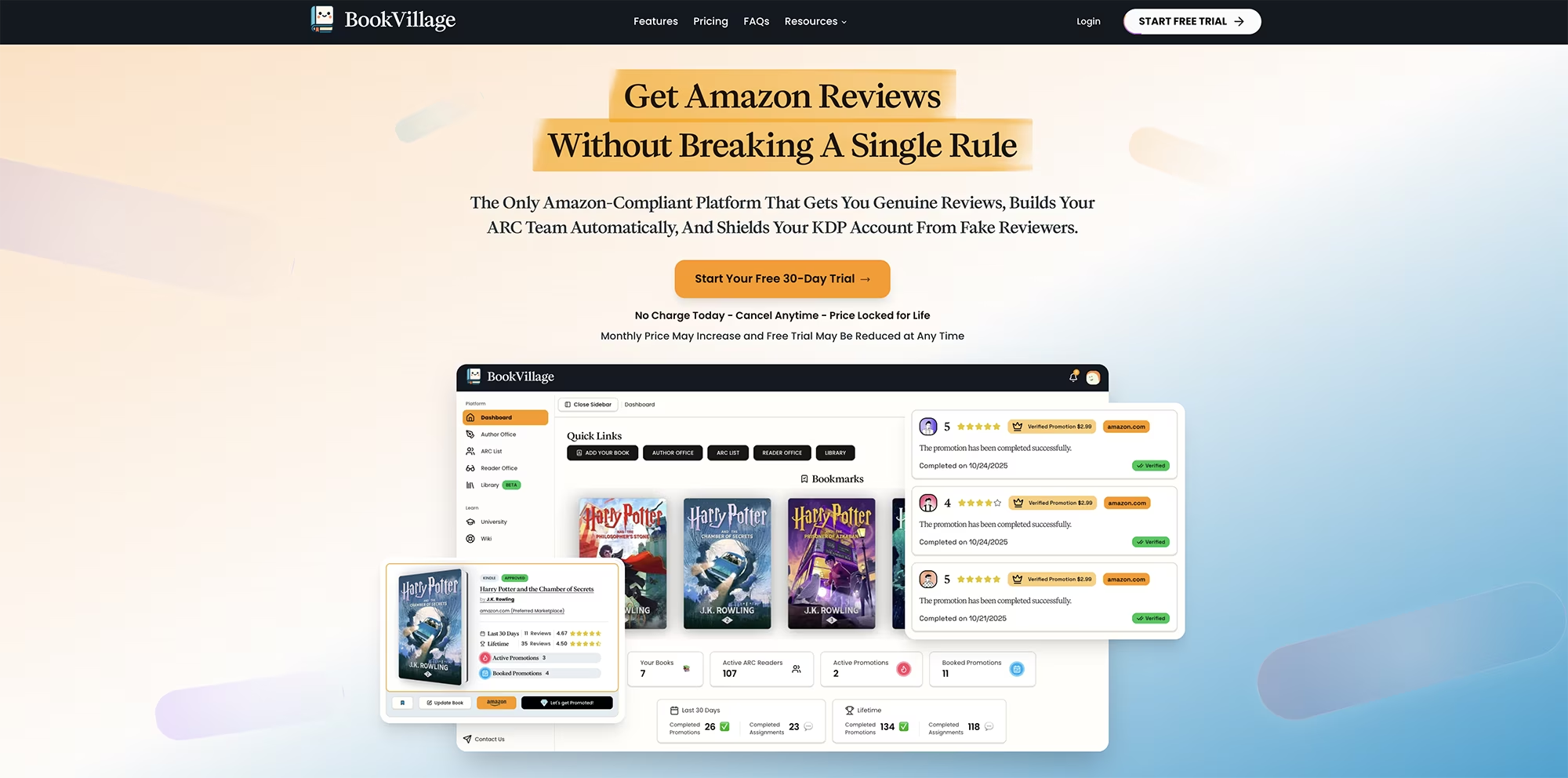
For high-content ebooks that have a Kindle version, I have been using BookVillage more recently. What I appreciate most about it is that it checks all the reviews you have previously submitted to make sure you never accidentally end up in a review swap situation, which is against Amazon's terms and can get your account banned.
BookVillage is the safest e-book review platform I have come across. You can try it free for 30 days and access two months at a reduced price HERE. I created a guide about how to use BookVillage to get book reviews, check it out here.
Once your reviews are in place, you are ready to run ads. I have a full guide on running KDP ads that you can view here, another guide about why you should never run ads without reviews here, and I will also be covering how to use Helium 10 specifically to find ad keywords in an upcoming guide.
Conclusion & Quick Recap
Helium 10 gives you everything you need to find a profitable KDP niche and topic, identify the keywords your competitors are ranking for, and craft a title, subtitle and book descriptions that are keyword rich and built to rank and sell from day one.
Low review counts paired with strong sales is the clearest signal that a niche is achievable for a new indie author
Black Box lets you compare promising books side by side so you can make a confident decision before writing a word
Cerebro's IQ Score identifies keywords with high demand and low competition, these are the ones worth building your title around
Your title must contain the primary keyword; your subtitle should support it with secondary keywords and a bold promise to the reader
Keeping your combined title and subtitle under 80 characters ensures it displays fully in search results and on mobile
Publishing across multiple formats from the start, paperback, hardcover, Kindle, and audiobook, turns one book into four income streams
Unused keywords from your Cerebro research are never wasted; they belong in your backend keywords and book description, both of which you can update any time
Next Steps: Take Action Now
If you have been putting off your keyword research because it felt complicated, Helium 10 makes the entire process visual, structured, and genuinely manageable.
The research you do before you write a single word is what determines whether your book ranks and sells or gets buried in search results.
Learn more from my previous Helium 10 overview guide.
Sign up for Helium 10 and install the Chrome extension
Go to Amazon Bestsellers and press Analyze Products to find independently published books with strong BSR
Add your top candidates to your list and compare them in Black Box
Copy the ASIN of your strongest candidate and run it through Cerebro
Export keyword lists sorted by Cerebro IQ Score, Organic Rank, and Competing Products
Use your top keywords to build a title and subtitle under 80 combined characters
Save remaining keywords for your backend keywords and book description
Remember to get book reviews on book launch and before you run ads
Other Useful Resources
Helium 10. Exclusive discounted pricing using my link! The all-in-one tool suite for Amazon sellers and KDP authors with keyword research, listing optimization, and market analytics.
Gemsy. Get reviews for your KDP books safely. Works for all book types including low-content.
BookVillage. The safest e-book review platform for high-content Kindle ebooks. Try free for 30 days with two months at a reduced price.
100 Covers. Get a professional book cover designed for you, for a very low cost! Use code GABRIELLE for 30% off.
Visit this page with my complete list of tried and true, proven and curated collection of tools for Amazon KDP!
Disclaimer: As an Amazon Influencer and affiliate marketer, I may earn a commission on purchases made through my links at NO extra cost to you.
This content is educational only, results vary and are not typical, and no earnings are guaranteed.
You are responsible for your own financial outcomes. Please read my Terms and Conditions and Privacy Policy for more details.
Free eBooks!
And get access to other free downloads, masterclasses and more! Just enter a valid email below.
You can opt-out anytime.
My Instagram Feed
Newsletter
Stay in the loop for new videos and special offers! And receive useful tips. Opt-out anytime.
Created with Systeme.io - Click to build yours for FREE today!