




The Blog
How to Get Book Reviews Before Running Amazon KDP Ads
The Crucial Step That Stops You From Burning Money on Ads
Without this crucial step, running ads for Amazon KDP books will only lose you money. I've been running ads for my books for about a year, and I've managed to keep my ad costs low thanks to a solid book launch strategy. But the one thing you must never skip if you want your Amazon KDP ads to be successful is getting book reviews first.
You need to have at least 10 book reviews before you ever run ads. Reviews give your book credibility so people feel confident enough to buy. But waiting for your book to get reviews organically can take months or even years. That's why I'm going to show you step by step how to get reviews for your book fast.
Why Reviews Matter Before Running Ads
Think about it from a buyer's perspective. They click on your ad, land on your book page, and see zero reviews. What happens? They bounce. You just paid for that click and got nothing in return.
Reviews act as social proof. They tell potential buyers that real people have read your book and found it worth their time. Without that trust signal, your ad spend is essentially wasted.

Step-by-Step: How to Get Reviews Fast Using Gemsy
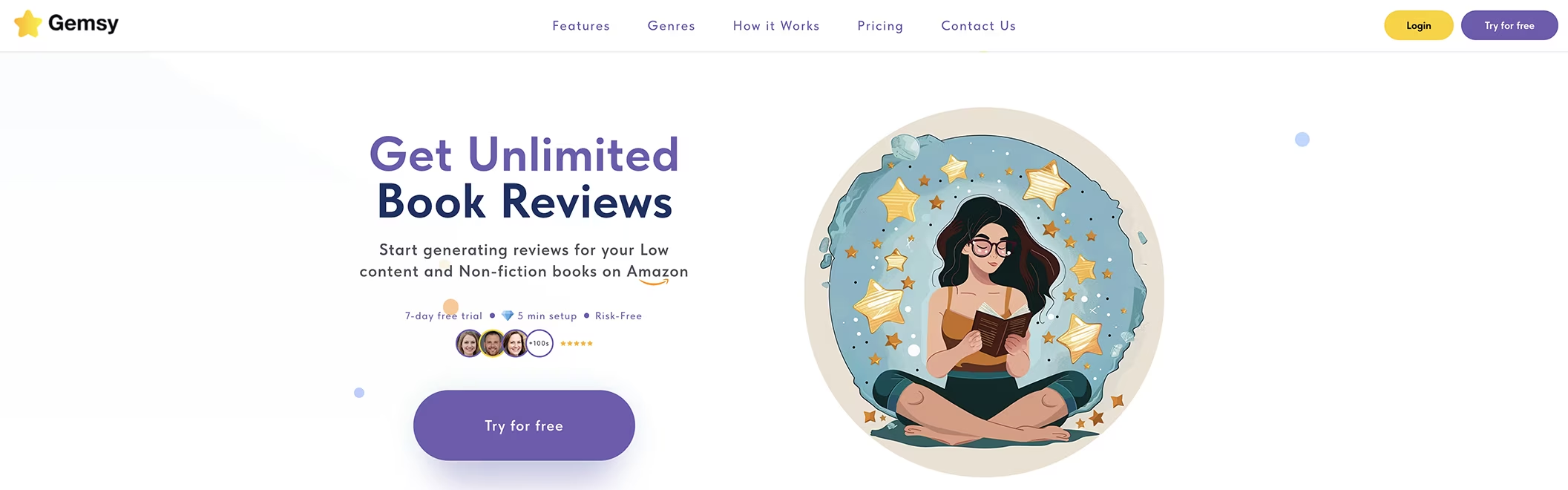
Uploading Your Book to Gemsy
I'm going to walk you through uploading a composition notebook, which is a no content book. Unlike other review platforms, Gemsy accepts no content and low content books. These are books with no text or very little text inside, like blank pages, lined pages, and similar formats.
By the way, you can also upload high content books to Gemsy; only some settings would be different as you will see in a moment.
To upload your book, press "Add Book." It will ask you for the full title, the author name, and the book's ASIN. Amazon provides your ASIN after your book has been published.

Choosing Your Review Types
Next, you choose the type of readers you'll be requesting. Since this is a no content book, I'm choosing "Standard." With Standard reviews, I provide my PDF file to get reviews, but they won't be verified. However, it's a very fast way to get reviews.
You only upload the manuscript here, meaning the content of the book.
I also selected "Verified Print Copy Reviews." Here you provide the link to your book on Amazon. This option means people will actually purchase your book to review it.
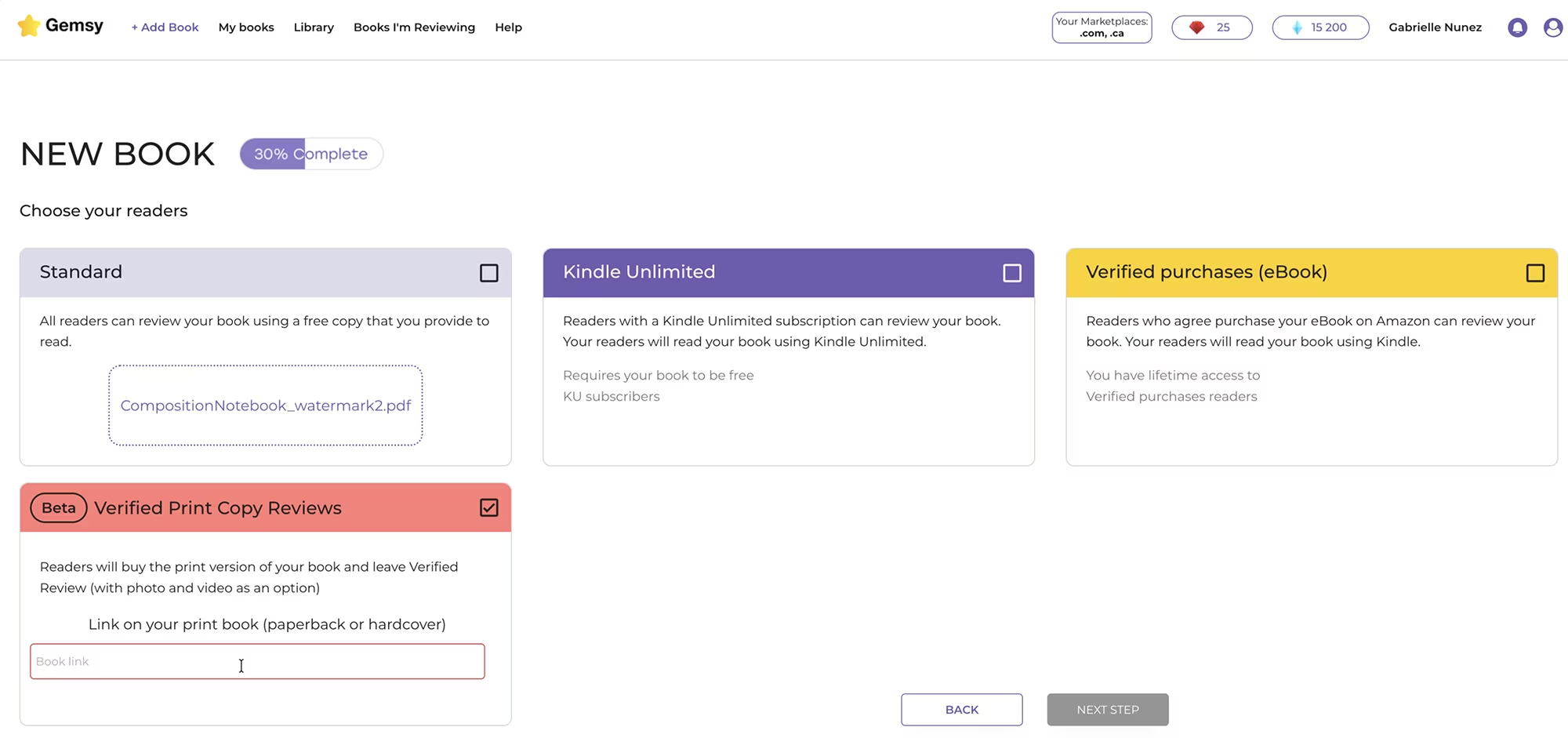
Understanding Gemsy's Standard vs. Verified Review Options
Standard Reviews (Non-Verified)
Amazon only allows a certain amount of unverified standard reviews. Gemsy limits the number of these reviews you can get per week to protect your KDP account and prevent Amazon from deleting the reviews.
This is important because Amazon has lately been deleting reviews that are not verified. That's a problem other review platforms have. They don't offer verified reviews. Gemsy does.
Verified Reviews and Verified Print Copy Reviews
Amazon loves these kinds of reviews, and Gemsy is one of the only review platforms that gives you this option.
Of course, if your book is expensive, you might wait a while before someone buys it to review it. I've been surprised how many people actually bought my books to review them.
Kindle Unlimited and Verified E-book Purchases
If you have an e-book published on Kindle, you can choose Kindle Unlimited and also verified purchases for e-books.
Those are usually high content books, meaning books that have a lot of text like novels or self-help books. Low content and no content books are usually not offered on Kindle or as an e-book, since they're mostly for print.
Protecting Your Book Content with Watermarks
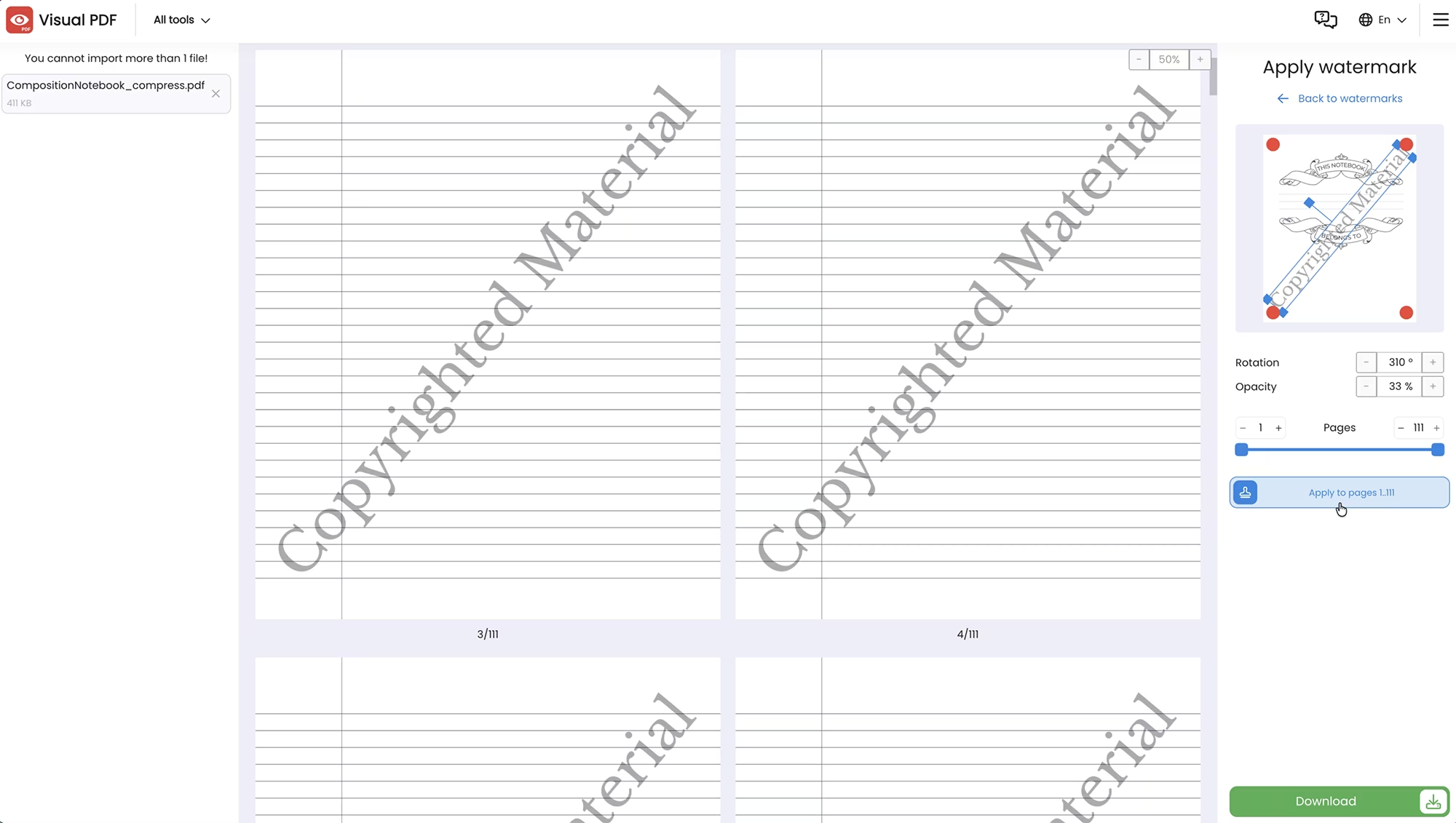
Some of you have asked if you can upload a watermarked book to protect it from getting stolen when someone downloads the PDF for a standard review. So I decided to put it to the test!
I watermarked my no content book online using Visual PDF, which is online and free. It allows you to choose the watermark text, customize it completely including the angle and coverage over the pages, and apply it to all pages in one click.
I watermarked just the interiors, not the book cover. I feel that adding a watermark to the cover would affect a reader's desire to select my book for reviewing.
This, of course, is optional. You don't need to watermark your books to upload them to Gemsy.
Completing Your Book Submission
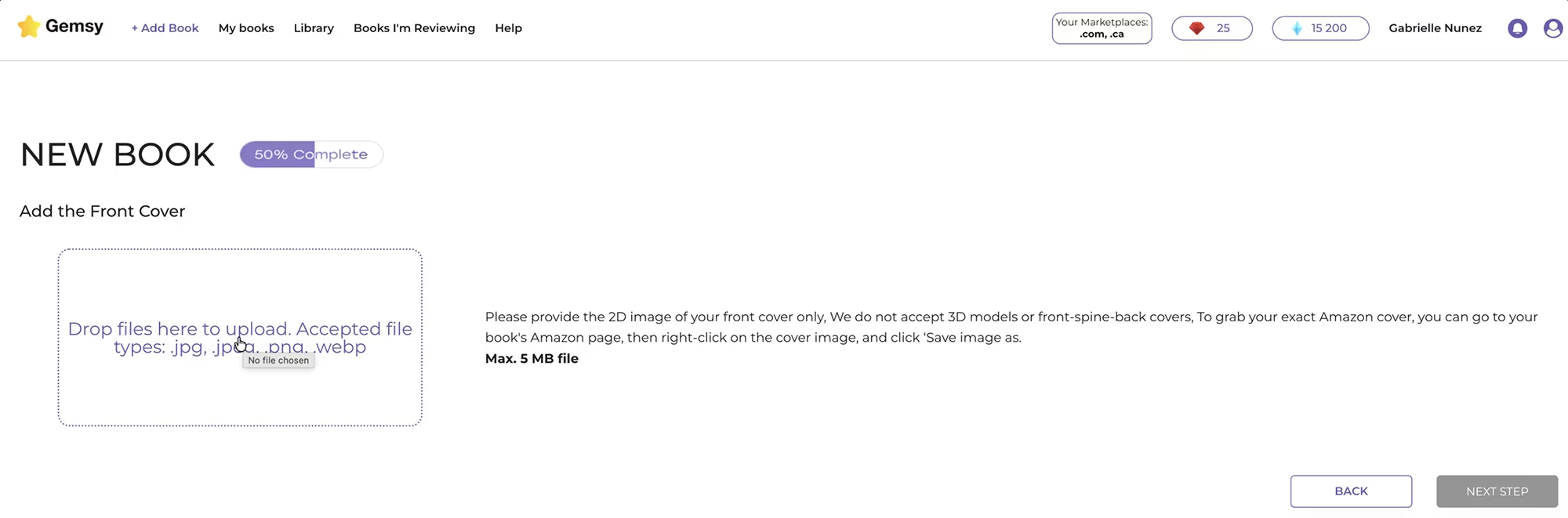
Next, you provide the front cover of your book. Only use the front, not the back, in the accepted formats indicated on that screen (png, jpg, etc.). When you uploaded the book cover to Amazon KDP, you provide both the front cover and the back cover, plus the spine. But in Gemsy, you only need the front. To grab that quick, what I did is open the kdp cover pdf, and take a screenshot of that part of my book.
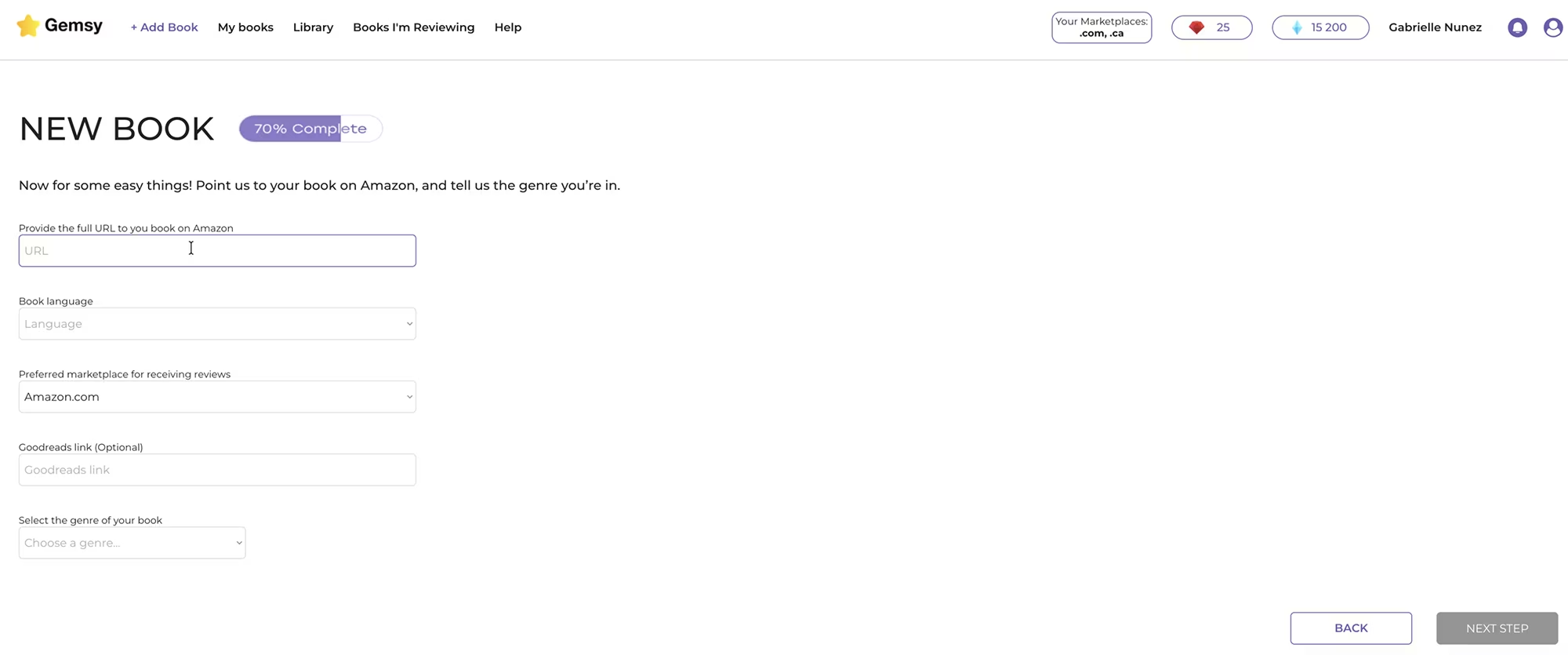
On the next steps, you provide:
The link to your book on Amazon
The language it's in
Your marketplace
The link to your book on Goodreads (optional)
The genre of your book (I'm choosing "Other low content")
Word count (the minimum they accept is 100, so I added that)
A summary of your book, so reviewers know what it's about
Information about the author or publisher
Now you can submit the book for approval. It takes a few hours to get a response from Gemsy, and you can see the status in the notification bell. You'll also be notified by email. My book was approved in about six hours, but it can take up to 24 hours.

How to Request Reviews in Gemsy
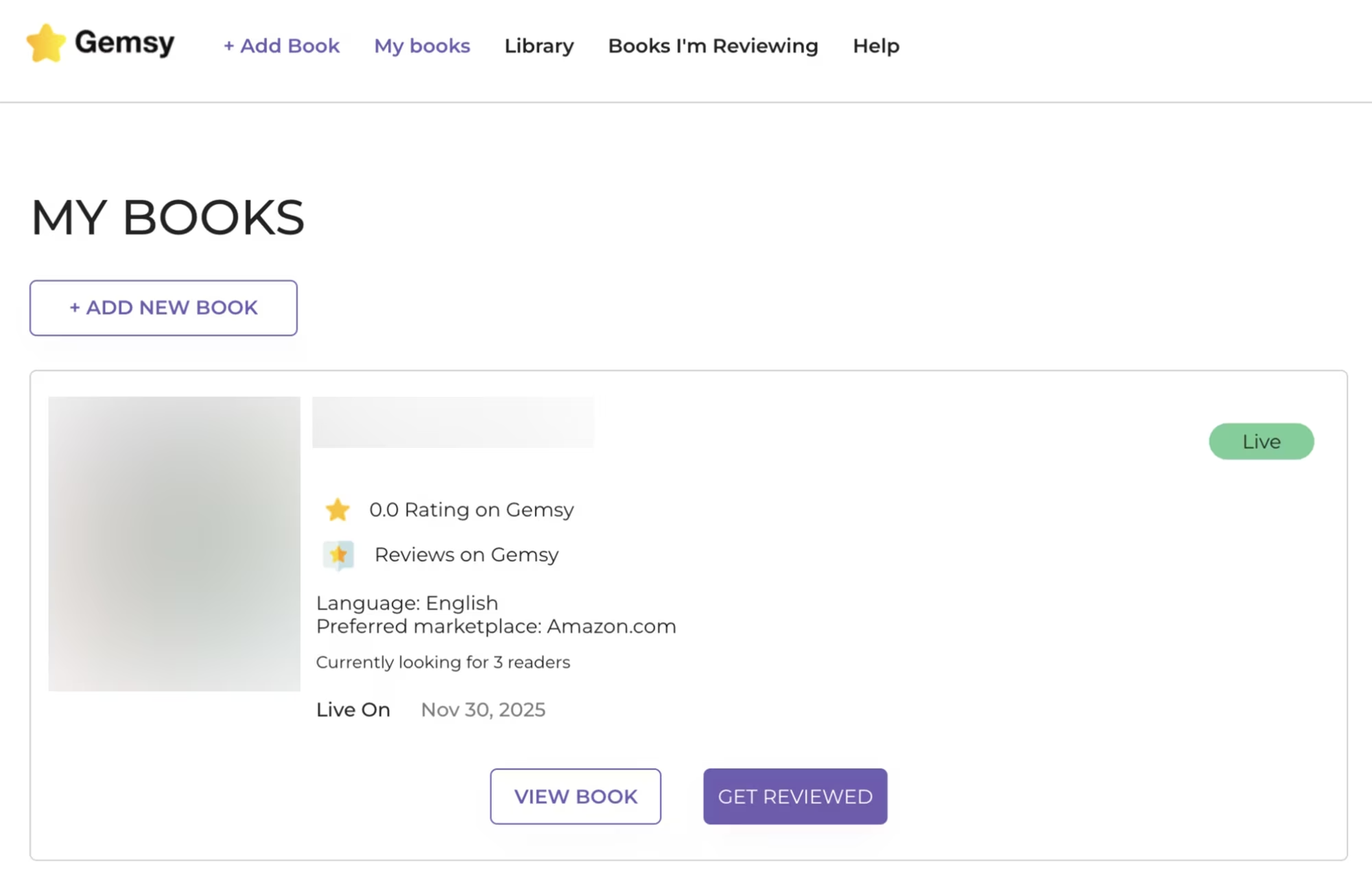
Once approved, you can start requesting reviews. Go to the "My Books" tab where you'll find your book and select "View Book".
Customizing Your Message for Readers / Reviewers
You can customize the message for your readers here. I like thanking them for choosing my book for review, and establishing what I want from them. I tell them not to submit AI reviews because Amazon doesn't like that. Reviews should be genuine and in their own words.
Save your message, then press the button "Get Reviewed."
Selecting Review Types
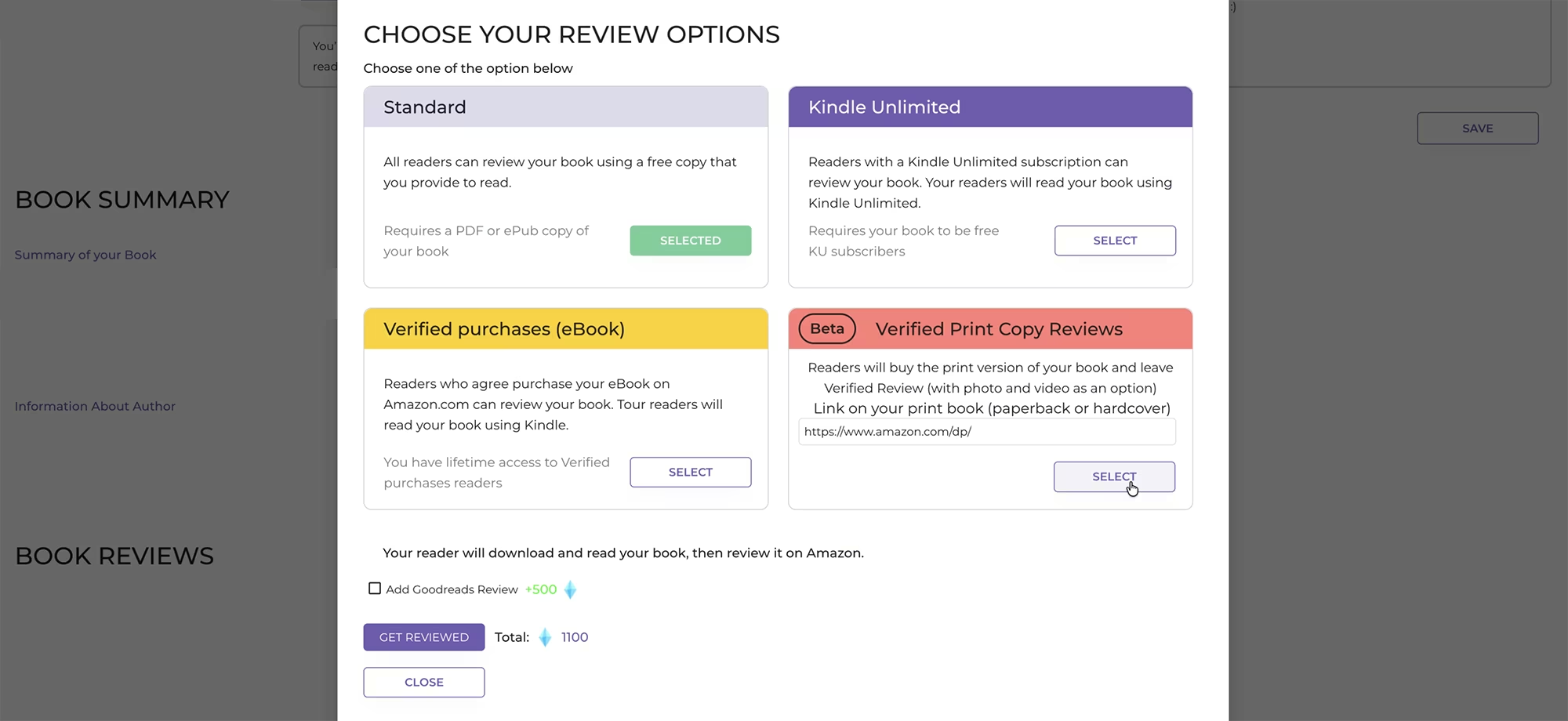
Here you can choose your review options. You can select several kinds of reviews at the same time, but not in this same window.
First, I'm going to ask for a Standard non-verified review. Reviewers will get my watermarked PDF for free. This is a fast way to get reviews, but they're not verified. However, it's a great option to get things going, especially during a book launch.
Remember: without reviews, your books will rarely sell.
You can also add a Goodreads review, but since this is a no content book, that won't apply.
Adding more Review Requests
After submitting my request for a Standard PDF review, I want to add another request for a different kind of review. This wasn't possible in Gemsy before - back then you had to wait for all same-type reviews to be completed before changing review types. But now you can request different review types at the same time.
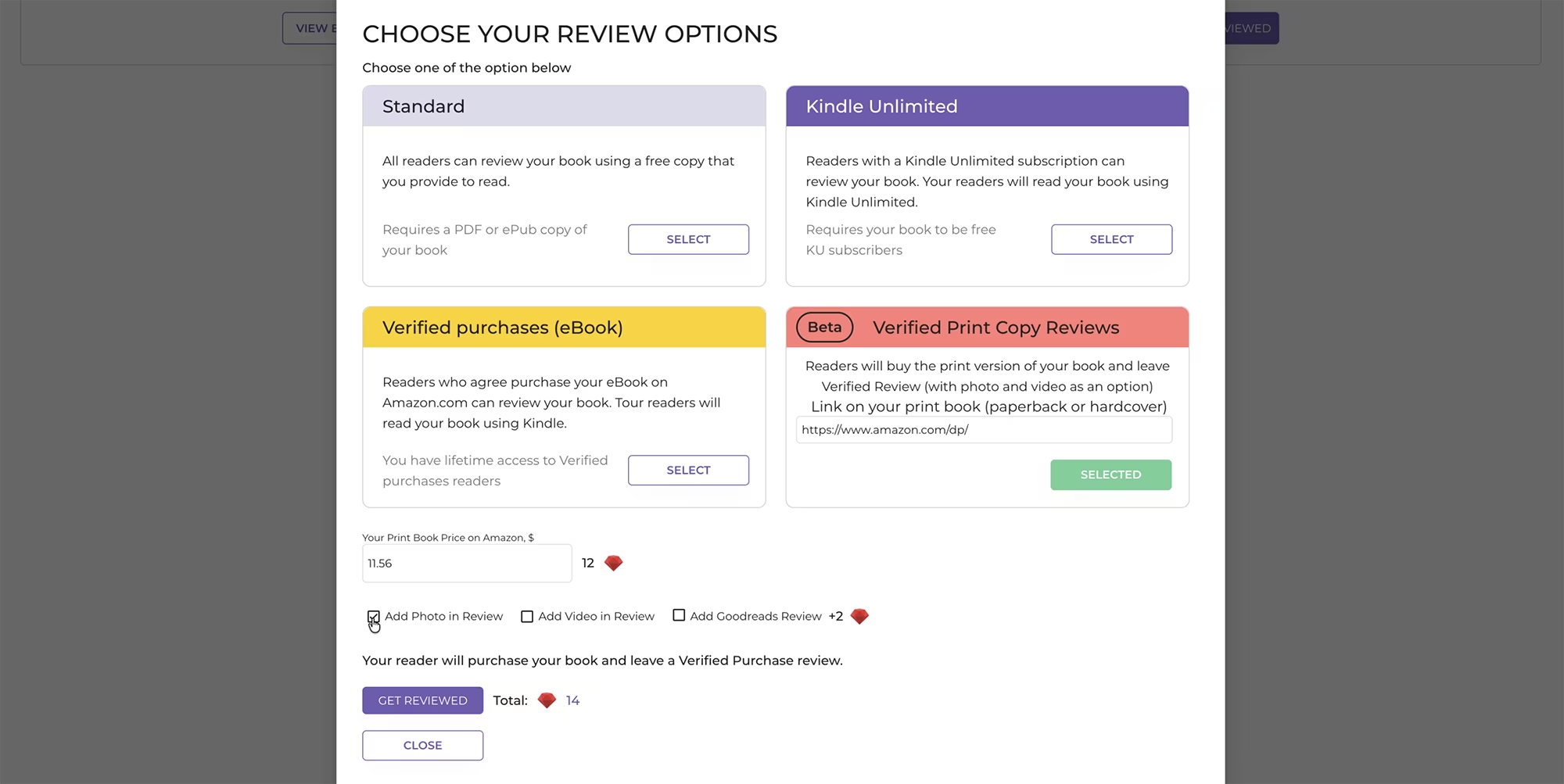
In "My Books" while viewing my book, I press the "Get Reviewed" button again and this time I select "Verified Print Copy Reviews."
You indicate the price of your book, and you can also ask for a photo in the review or a video. It's one or the other.
Note: To get verified print copy reviews, you need rubies, not gems. This review will cost me a certain number of rubies total, depending on the setting I chose.
How the Gemsy Gems Credit System Works, and Why it is Better
In Gemsy, you earn gems and rubies by reviewing other people's books.
The way most review platforms work is that you review other people's books to earn credits, then use those credits to get reviews for your own books. But those platforms are usually very saturated. You're assigned a random book to review. They have waitlists and so many other hassles that make them clunky.
Gemsy is different. It's fairly new, not saturated, and currently the best book review platform. I've been using it safely for about a year now. It complies with Amazon KDP's Terms of Service and is often updated to stay compliant.
And unlike other review platforms, you can choose what books you want to review. And as you saw, they offer several types of reviews.

Tracking Your Progress
In total, I'm looking for three reviews, which they call "readers" on the platform. In the notifications, you can see if your book has been picked up for review, when reviews are submitted, and more. You also get notified by email.
How Many Reviews are Needed to Start Running Ads?
Once you get at least 10 reviews, you're ready to run ads. Of course, the more reviews you get, the higher your credibility, and the more effective your Amazon KDP Ads campaign will be.
There are, of course, other important factors that affect the effectiveness of an Amazon KDP campaign; things like a stunning book cover that fits the niche, a great book description, using the best keywords for your ads, and more.
However, even with those things done well, running ads without reviews is the strongest factor for your success in achieving a low cost ads campaign.
Ads will only lose you money if you don't have any reviews. Never run ads on a book without reviews.
Quick Recap & Take Action Now
Getting reviews doesn't have to be a months-long waiting game. With the right strategy and tools like Gemsy, you can build that social proof quickly and start running profitable ads. Here's your action plan:
Sign up for Gemsy and take advantage of the 7 day free trial and the 30% LIFETIME discount using code GABRIELLE30
Upload your book with all required details
Request both standard and verified reviews
Earn credits by reviewing other authors' books, if you haven't already done so
Wait until you have at least 10 reviews before running any ads
Set up your ad campaign once you have that social proof in place
Other Useful Resources
Gemsy. My favorite tool for getting legitimate and verified book reviews.
Watch the video and Read the Blog Post about How to Run a Low Cost Amazon KDP Ads Campaign
Visual PDF Watermark Tool - Free tool for watermarking your manuscript
Titans Pro. Find the best keywords for your Amazon KDP Ads.
100 Covers. Get a professional book cover designed for you, for a very low cost!
Visit this page with my complete list of tried & true, proven and curated collection of tools for Amazon KDP!
Disclaimer: As an Amazon Influencer and affiliate marketer, I may earn a commission on purchases made through my links at NO extra cost to you.
This content is educational only, results vary and are not typical, and no earnings are guaranteed.
You are responsible for your own financial outcomes. Please read my Terms and Conditions and Privacy Policy for more details.
Free eBooks!
And get access to other free downloads, masterclasses and more! Just enter a valid email below.
You can opt-out anytime.
My Instagram Feed
Newsletter
Stay in the loop for new videos and special offers! And receive useful tips. Opt-out anytime.
Created with Systeme.io - Click to build yours for FREE today!