




The Blog
Helium 10 for KDP Authors: Step-by-Step Guide to Book Research and Keywords
The Powerful Amazon Research Tool to Reverse-Engineer Bestsellers and Find Winning Keywords for Your Books
Yes, I finally did it. After many of you told me in the comments of my youtube videos and posts that Helium 10 is amazing, I decided to give it a shot. And honestly? I'm mind-blown.
If you want to know whether Helium 10 is actually useful for Amazon KDP authors and Amazon influencers, I'm about to show you exactly why it is - and how to use it without getting overwhelmed.
Some people say that Helium 10 is only good for Amazon FBA sellers. Even one of my favorite KDP YouTubers, Sean Dollwet, said that only ONE tool in Helium 10 (Cerebro, to be specific) is good for KDP.
But now I know that's not true. I completely disagree, and I'm about to show you why.
Why Some KDP Authors Hesitate to Use Helium 10
Before I tried Helium 10, I hesitated for the same reasons many of you probably do.
The tool is so powerful and feature-rich that it can feel overwhelming at first glance. With dozens of tools and seemingly endless data points, it's easy to think "this is too complicated for me" or "I don't need all this."
I get it. When you're just trying to figure out which coloring book or journal to create next, opening this professional-grade Amazon research suite feels like overkill.
But here's what changed my mind: once you understand the simple step-by-step process I'm about to share, Helium 10 becomes incredibly easy to use.
You don't need to master every tool or understand every data point. You just need to know which features actually help KDP authors and how to use them effectively.
Getting Started: Setting Up Helium 10 for Success
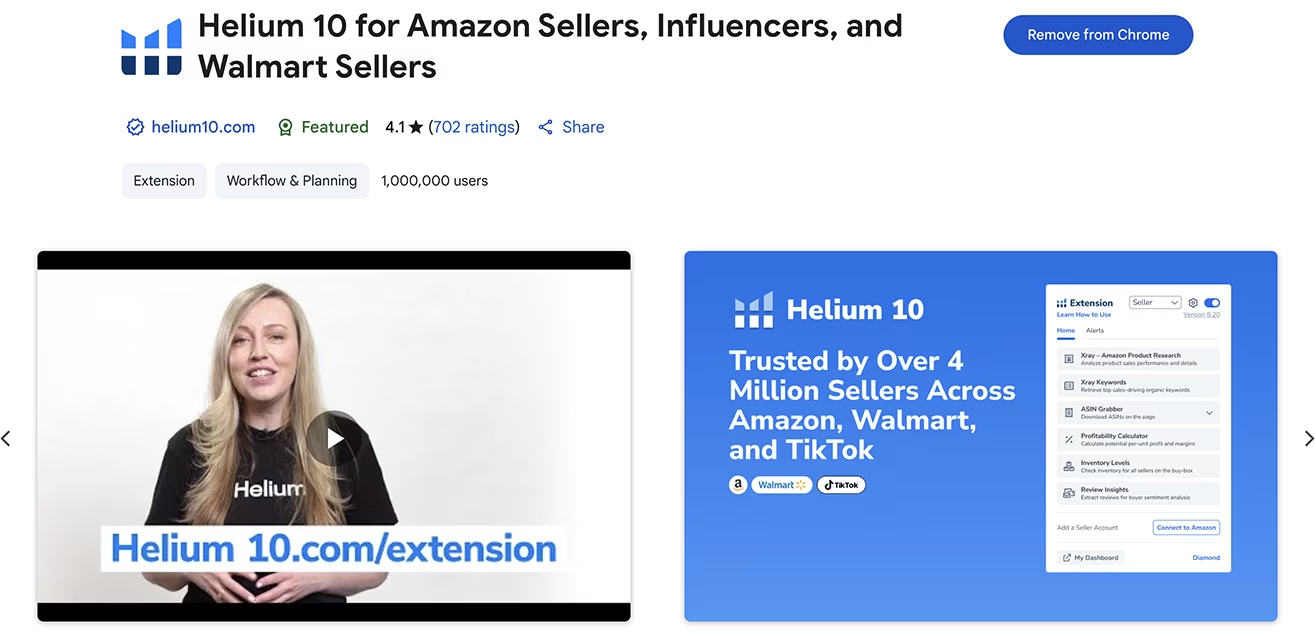
First, install the free Helium 10 Chrome extension. This browser add-on makes using Helium 10 much simpler and more intuitive because it integrates directly with Amazon's website as you browse.
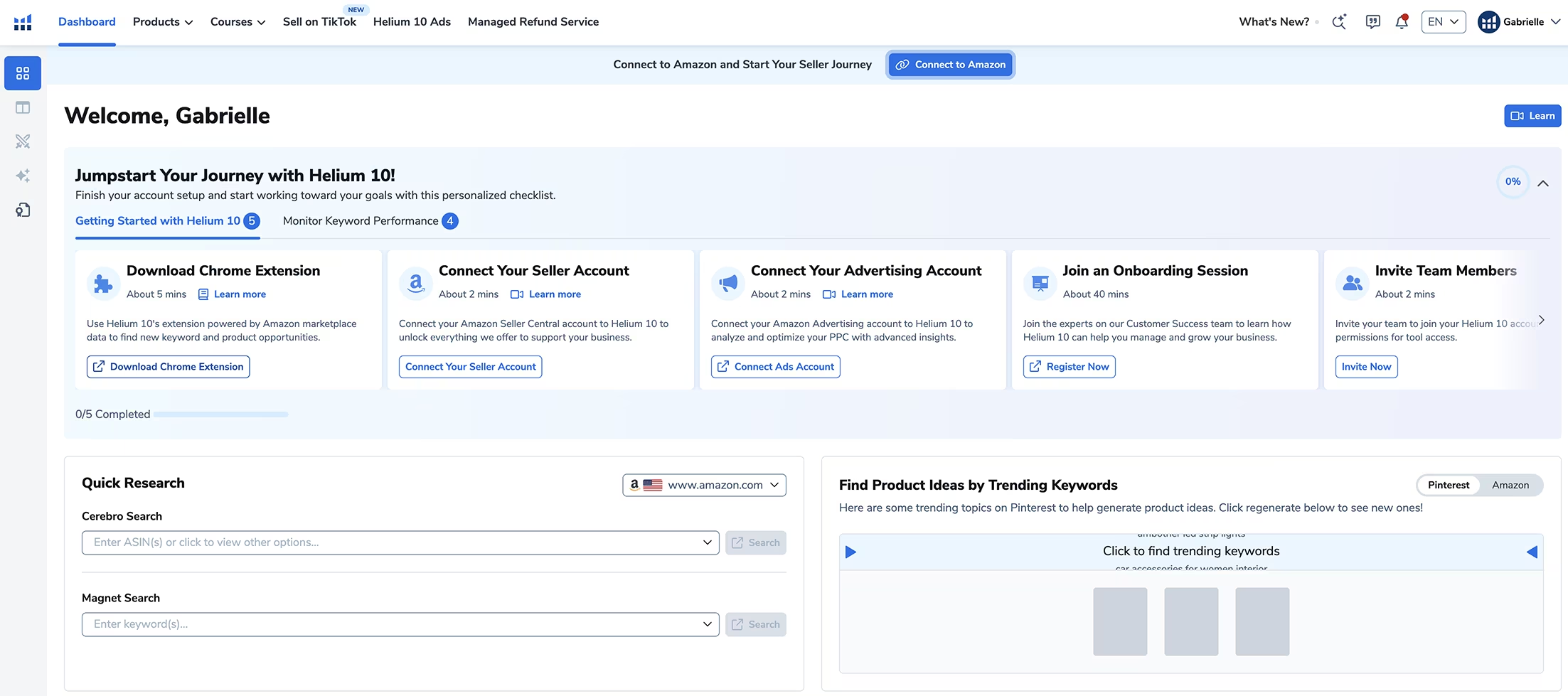
Next, sign up for Helium 10 and log in to your account. Once you log in, you'll see the dashboard where you can grab the Chrome extension if you haven't already, connect your Amazon account, link your ad account if you're running Amazon ads, and access quick research tools like Cerebro and Magnet.
Understanding Helium 10's Products (Tools) Organization
Hover over the Products menu and you'll see Helium 10's tools organized in two ways:
In Solutions View, you can see many capabilities, and they even have tools specifically for Amazon influencers and TikTok sellers now. This is useful to become aware of everything you can achieve.
However, I prefer Classic View because this is where you access individual tools with more control and clarity.
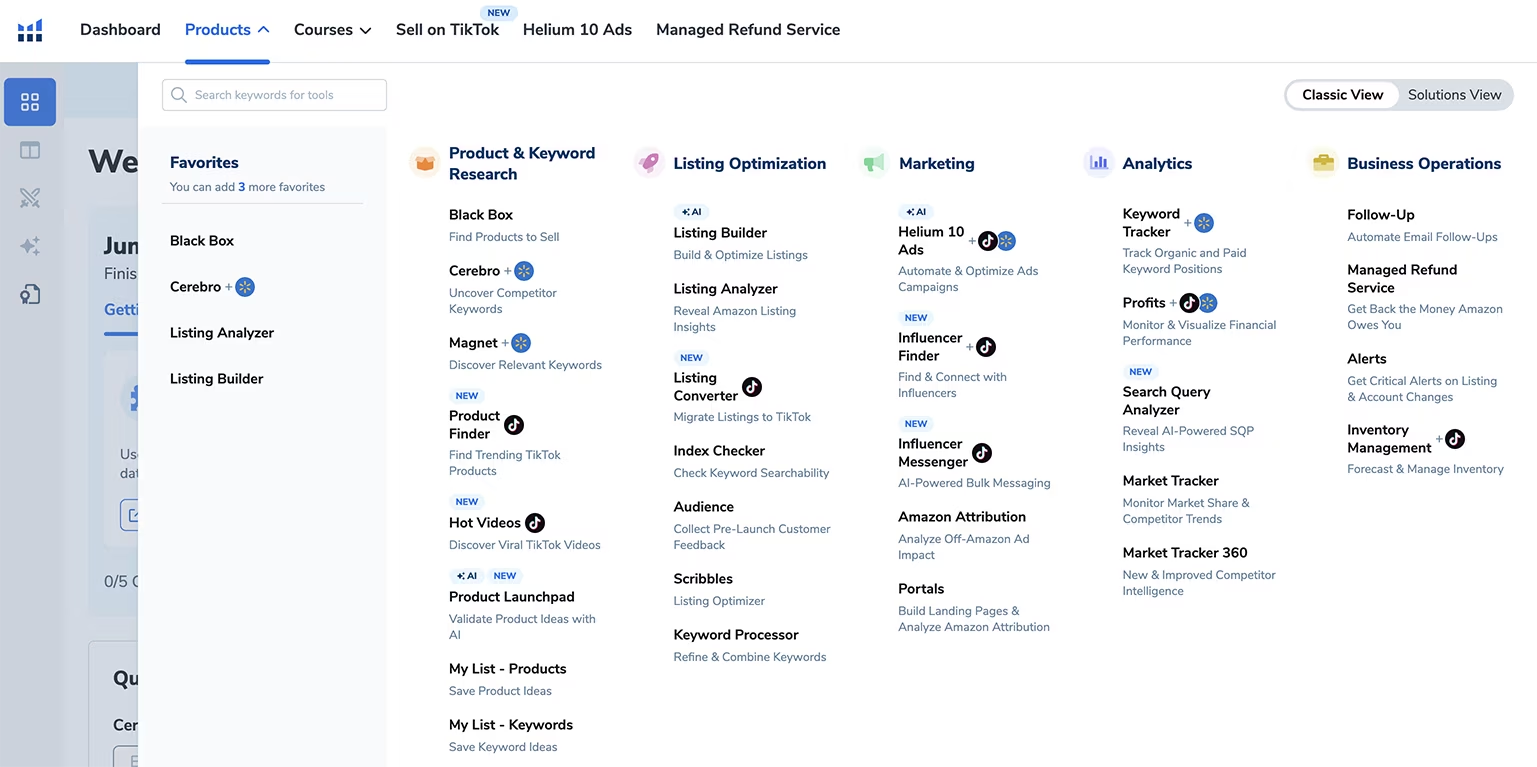
Yes, it seems like a lot of options at first. But don't worry - I'm about to walk you through my easy step-by-step research method so you can do this without feeling overwhelmed.
Still, it's good to see everything available so you know the full capabilities of the platform.
My Simple Step-by-Step Book Research Process Using Helium 10
Here's exactly how I use Helium 10 to decide which books to create based on what's already selling.
Remember, you never want to create a book just because you thought it would be cool or interesting. You have to choose something that's already selling with proven demand.
Step 1: Finding Bestselling Books on Amazon
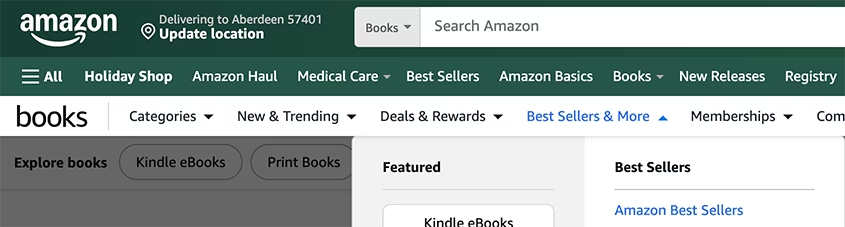
Go to Amazon, select "Books" in the search bar dropdown, and click on "Bestsellers." All the books on this page are obviously selling, which means there's high demand for them. If you create a book on these topics, it'll most likely sell really well too.
Now choose the books that interest you most and look for ones that are independently published. I wish Amazon showed upfront which books are independently published like Self-Publishing Titans Pro does, but don't worry - Helium 10 will show you that information in the next steps.
For this demonstration, I chose two books I'd like to create and opened them in new tabs:
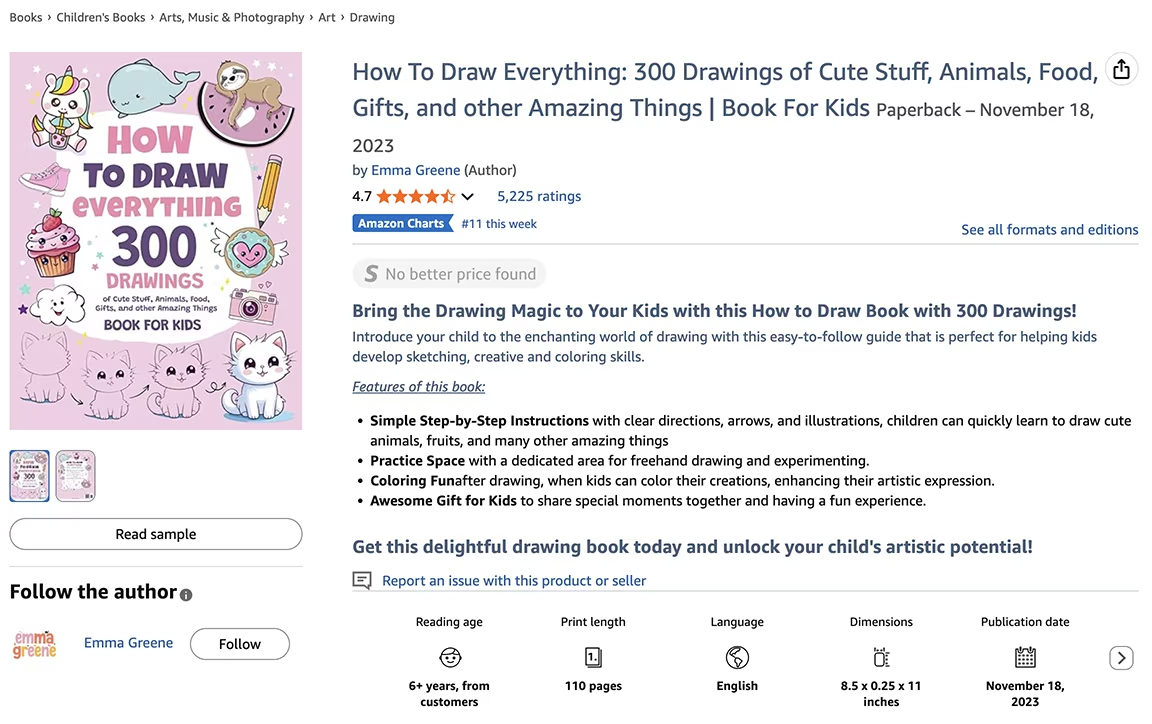
Book 1: "How to Draw Everything" - A drawing instruction book that I actually bought for my daughter's birthday in August. I was pleasantly surprised to see it's now a huge bestseller.
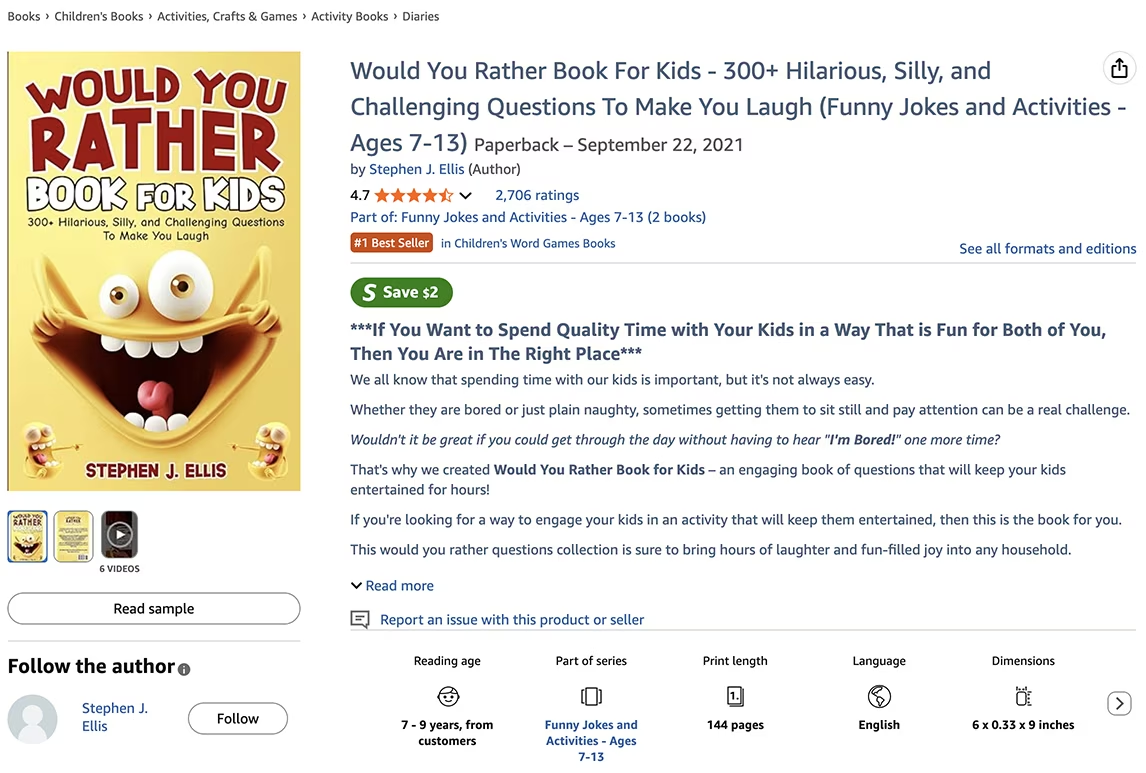
Book 2: "Would You Rather Book for Kids" - This definitely looks like an independently published book that would be easy to create, and my kids would love it.
Step 2: Verify Independent Publishing Status & Review Helium 10's Top of Page Info
If you scroll down to the Product Details section on each book's Amazon page, you can verify both books are independently published.
Looking at the drawing book, Helium 10 shows me a product summary at the top of the page. This book is ranked #11 overall and is #1 in two categories. It has really good monthly revenue and over 5,000 reviews.
Since it has a ton of reviews, it'll be hard to compete against directly, but the topic is definitely trending, so our book will still sell if we do things right.
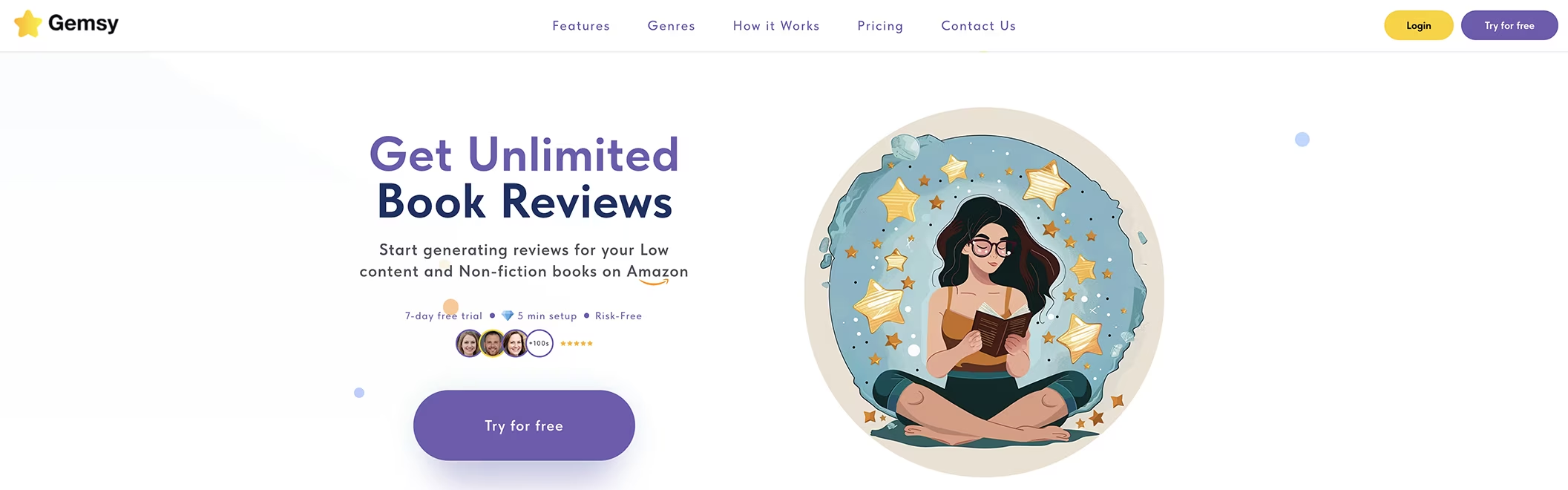
We definitely need reviews to compete though. You can use Gemsy to get reviews easily and fast - it's the tool I trust for building review credibility quickly.
Step 3: Analyze Sales Data and Trends on the Helium 10 Graph
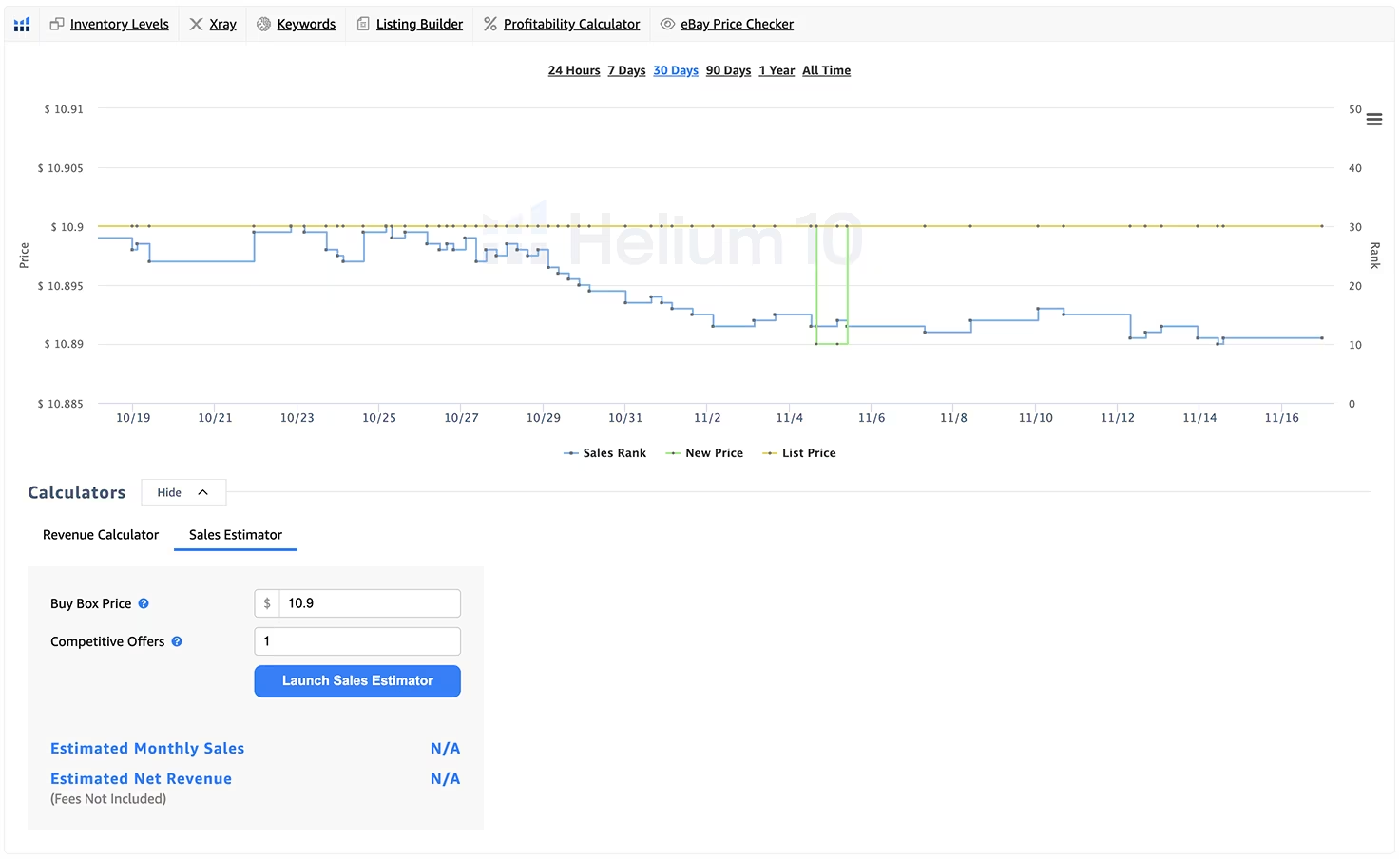
Scroll down and you'll see the Helium 10 graph showing book sales, price, and BSR (Best Sellers Rank) over time. You can select whatever timeframe you want to analyze patterns, and you can also download this graph for your records.
The graph includes a calculator for revenue estimates and a sales estimator that shows you approximately how many copies this book sells monthly.
Step 4: Use X-Ray for Competitive Analysis
Here's where the powerful Helium 10 X-Ray tool comes in. You'll find it above the graph.
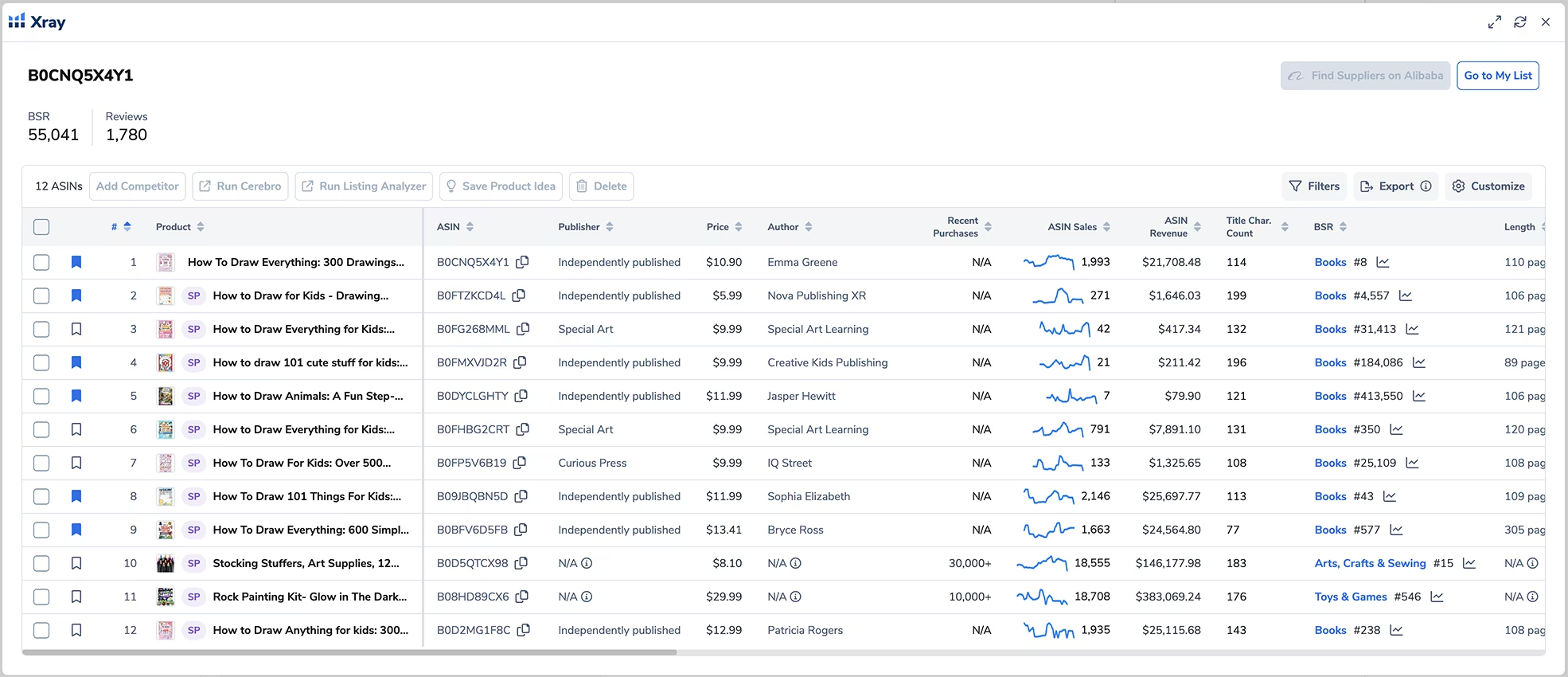
It shows us the average BSR, which in this case is under 100,000 - very promising for sales potential. It also shows the average number of reviews among competitors and provides a complete list of competitors so we can see how they're doing and how many sales they're getting.
This is where Helium 10 actually shows us if a book is independently published, which is fantastic because we can see other KDP authors successfully competing in this niche.
You can favorite the books you want to analyze further by clicking on the little flag icons, then choose "Go to My List" when you're ready to examine them in more detail.
If you swipe right on the X-Ray results, you'll see even more information about these books, including their BSR rankings, how many characters they used in their titles, book length, publication dates, and more. This is all incredibly useful information for creating your own books with a competitive advantage.
Step 5: Using Cerebro - The Reverse ASIN Powerhouse Everyone Raves About
Let's go back to the Helium 10 graph. When you click on "Keywords" above the graph, it opens a Helium 10 tool called Cerebro. This is the powerful reverse ASIN tool everyone raves about, and for good reason.

Cerebro lets us reverse-engineer successful books so we can create one that's also successful. Success leaves clues, and it's perfectly fine - even smart - to follow those clues.
Just remember: you are NOT copying the book, and you don't want to create a cheaper version of that book. You want to create something better or at least comparable, and you're following a proven success path by finding out which keywords work well in the niche so you can use them too.
How to Use Cerebro for Book Research
You can add more ASINs of other successful books in the niche to get broader keyword data. Cerebro allows you to analyze up to 10 ASINs simultaneously, giving you a comprehensive view of what's working across multiple competitors.
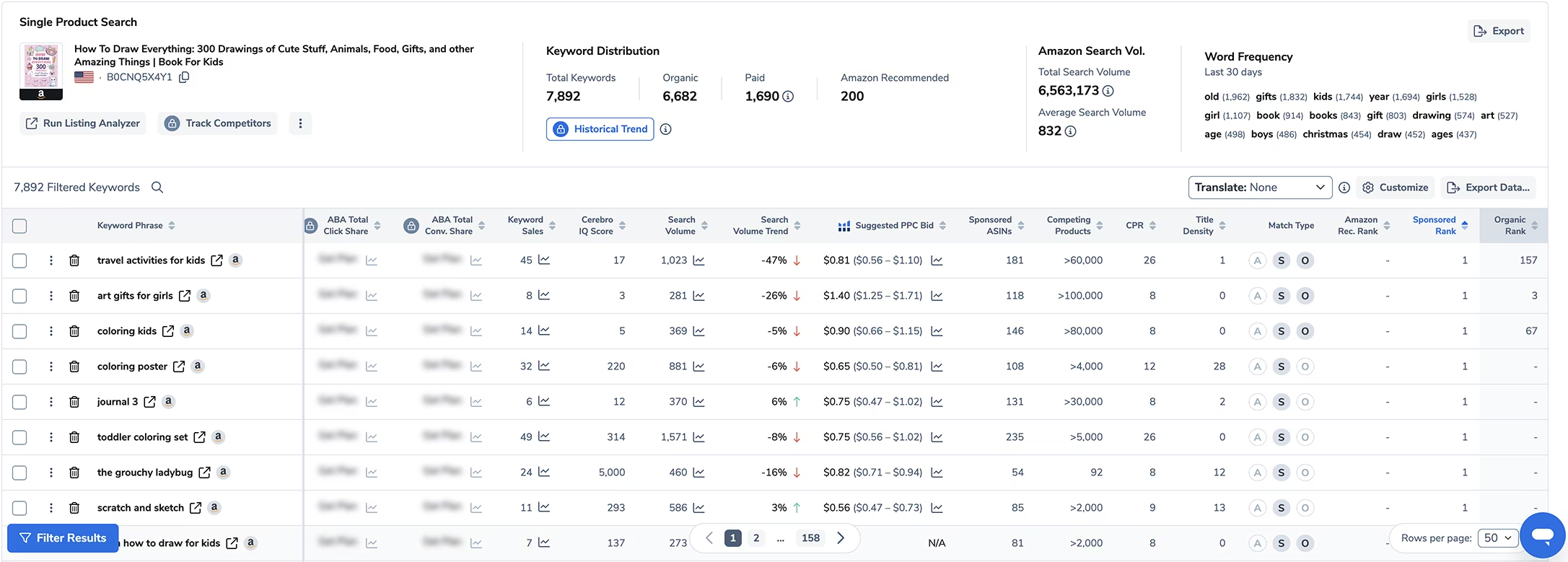
Use Cerebro's search filters or scroll down to look at the keyword data. The tool shows you if those keywords are actually trending and whether competitors are using them in ads.
If a keyword has a number in the "Sponsored ASINs" column, that's a keyword they're using for advertising. This is fantastic because it means we can find the best keywords for our own Amazon KDP ads without guessing or wasting money testing.
Cerebro even tells us how many book sales per week we need to rank in the top half of page one in the search results for each keyword. It also shows which keywords this book ranks for organically, which proves those keywords are driving real traffic and sales.
Organizing and Sorting Keyword Data
If you click on each column header, Cerebro will organize information by that category. I clicked on "Sponsored Rank" and this shows me which keywords competitors are actively using to advertise their books.
So if you're struggling with which keywords to use for your KDP ads campaigns, Cerebro literally gives you the best-performing keywords from books that are already successful. You're not guessing - you're using data from books that are making sales right now.
Cerebro Training and Support
If you want to explore how Cerebro can help you in depth and understand why all this information is valuable for your publishing business, Helium 10 offers Cerebro-specific training included with your plan.
I love this about Helium 10. They want to help you use their tools to their full potential, so they have courses for everything. You'll never feel stuck, and all your questions get answered through their comprehensive training library.
As you can see, Cerebro lets us see other books' SEO strategies by learning which keywords get them sales and work best for their advertising. Since we're analyzing bestsellers, we know these keywords are definitely working and driving revenue.
Step 6: Using My List for Centralized Book Tracking
Let's return to Xray. I'm going to select several independently published books in this niche that are selling the most, then add them to My List for deeper analysis by pressing such button.
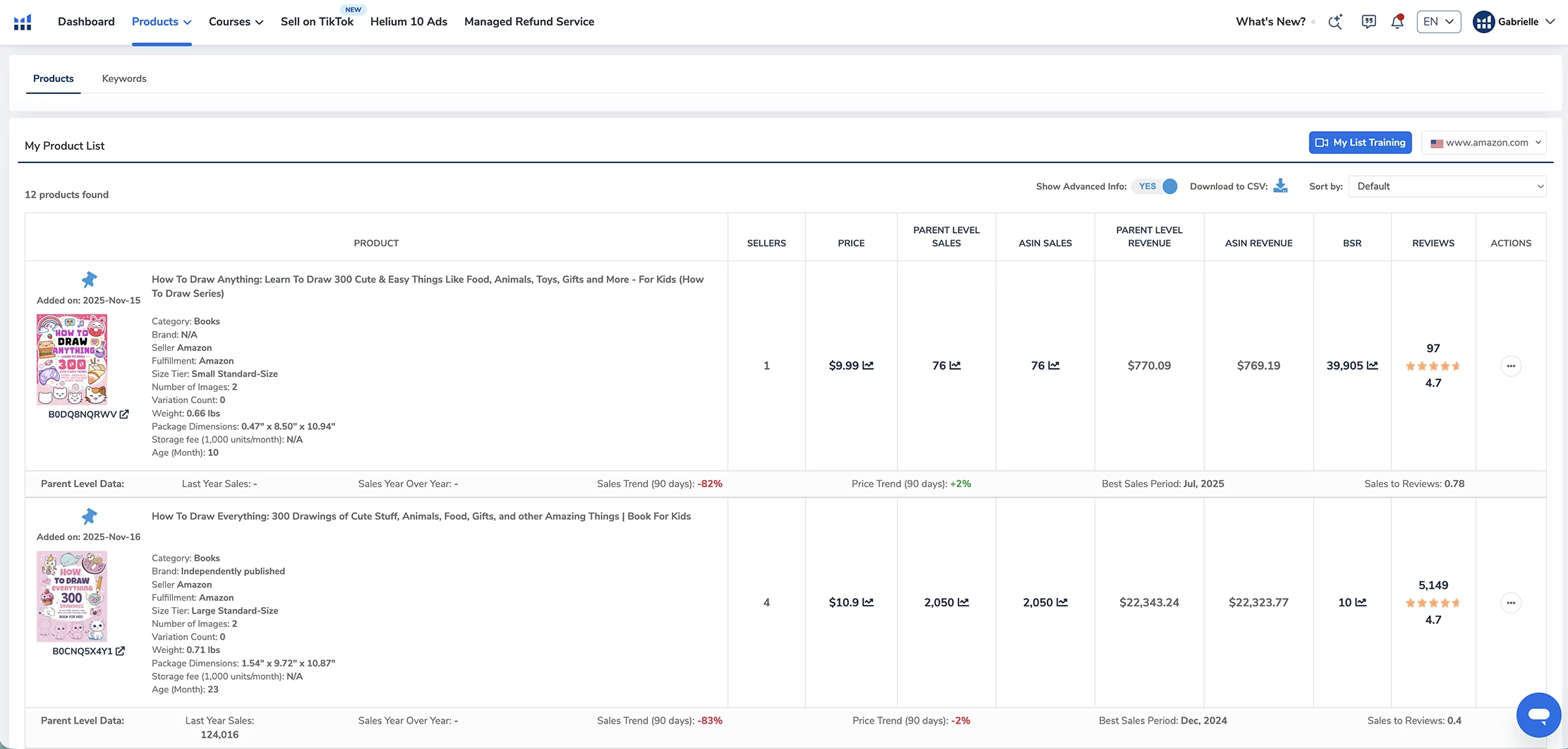
This is another powerful Helium 10 tool that lets me see all my selected books on one organized page. I can download this list too for offline analysis or to share with team members.
You can also add products directly to your list using Black Box on Helium 10 by searching for them there and clicking the pin icon.
I love how My List shows me:
The sales each book generated last year
Current sales trends
Price trends over time
The best sales period (seasonal patterns)
Sales-to-Review ratio
Understanding Sales-to-Review Ratio
The Sales-to-Review ratio is particularly valuable for beginners. This ratio is calculated by dividing estimated monthly sales by the number of reviews the book has - basically, how many sales the book generates per review.
The higher the number, the better for us as new publishers because it means books sell a lot without needing many reviews to build credibility.
For example, if a book has a higher sales-to-reviews ratio, that tells us we can create a similar book and get substantial sales even with fewer reviews initially. This is critical information when you're just starting and don't have review momentum yet.
Dynamic List Tracking
This list isn't static. You can track these products over time right within My List without going back to Amazon constantly. You can remove products from the list by clicking their little blue pin icon when you want to clean up your research.
If you click "Keywords" in My List, it opens a Keyword Manager where you can create keyword folders to store keywords organized by book project, by niche, or however you want. And yes, Helium 10 offers training for this tool too.
Step 7: Using Magnet to Find Additional Keywords From Scratch
If you want to find more keywords related to your niche or topic beyond what Cerebro reveals from competitors, use the Helium 10 tool called Magnet.
Magnet is really good for:
Finding keywords for your book listing
Getting title inspiration
Discovering long-tail keyword phrases
Finding those seven backend keywords that Amazon allows

The Difference Between Cerebro and Magnet
Unlike Cerebro, which essentially lets you spy on your competitors' keywords so you can reverse-engineer their success, Magnet helps you find keyword ideas from scratch based on seed keywords and search data.
Both tools are powerful, and using them together gives you the most comprehensive keyword strategy for your books.
Additional Powerful Helium 10 Tools for KDP Authors
Wait, there's more! Besides the powerful tools I've mentioned so far, you can also take advantage of the following for you Amazon KDP book research (and even book launch!) process:
Listing Builder: AI-Powered Listing Creation
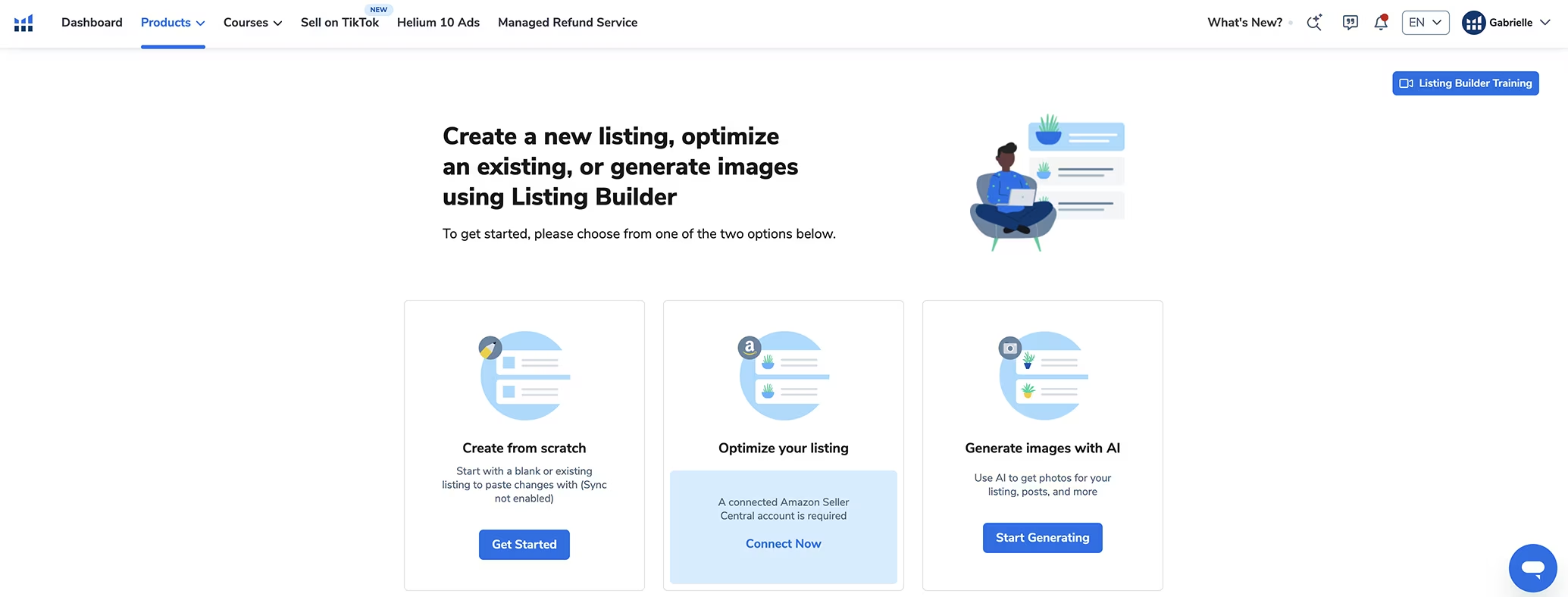
Helium 10 also offers a Listing Builder tool that creates your book listing using AI based on what's already working in your niche. This tool has its own training course too, so you can learn to maximize its effectiveness.
Follow-Up: Automated Review Requests
Here's something that shocked me: with Helium 10, you can send automated requests for book reviews! You heard that right. The tool helps you get real reviews from your actual buyers.
The tool is called Follow-Up and you find it in the Products menu. It reminds your buyers to submit a review for your book through automated email sequences that comply with Amazon's terms of service.
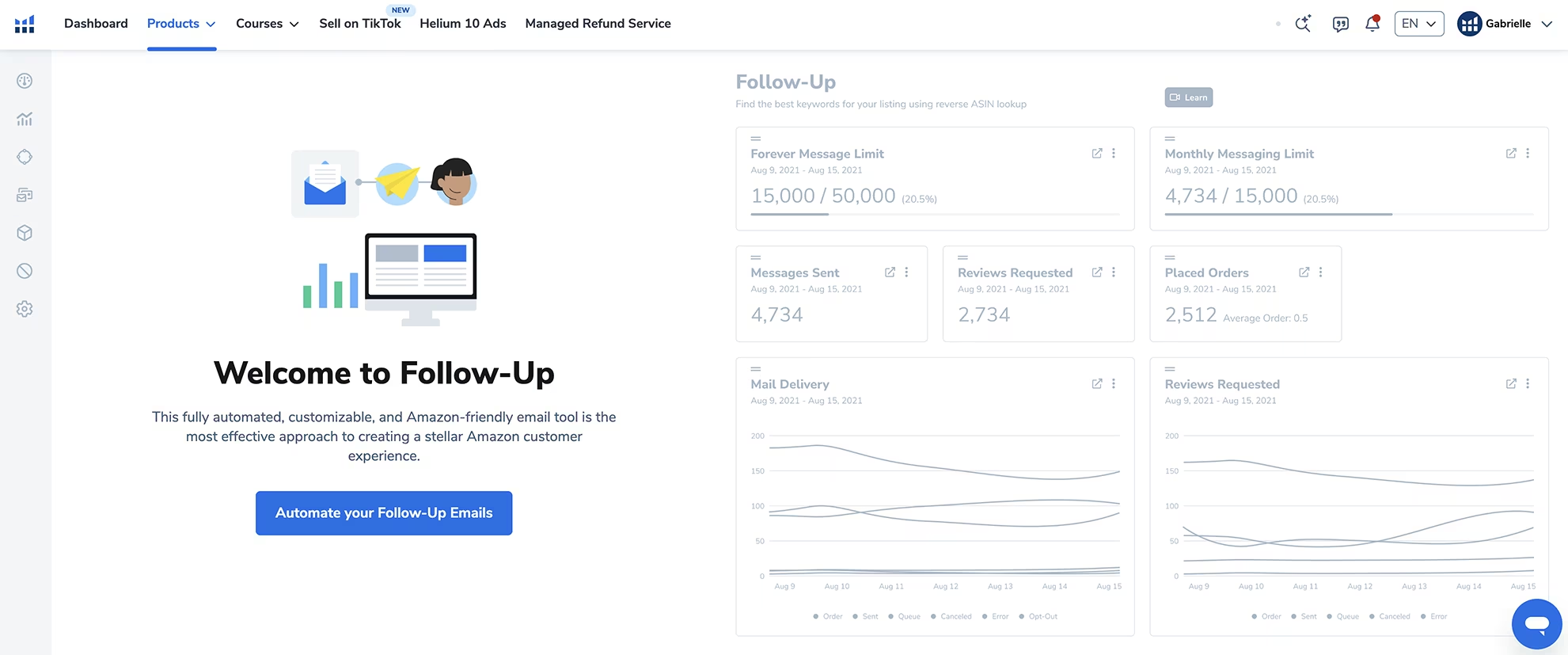
It's completely automated, so sending these review requests won't take up any of your mental energy or time. Follow-Up does it automatically once you set it up.
There are other companies charging $20-100 per month just for this review request service, but you don't have to pay extra with Helium 10 because this functionality is already included in your subscription!
Tiktok Shop Tools
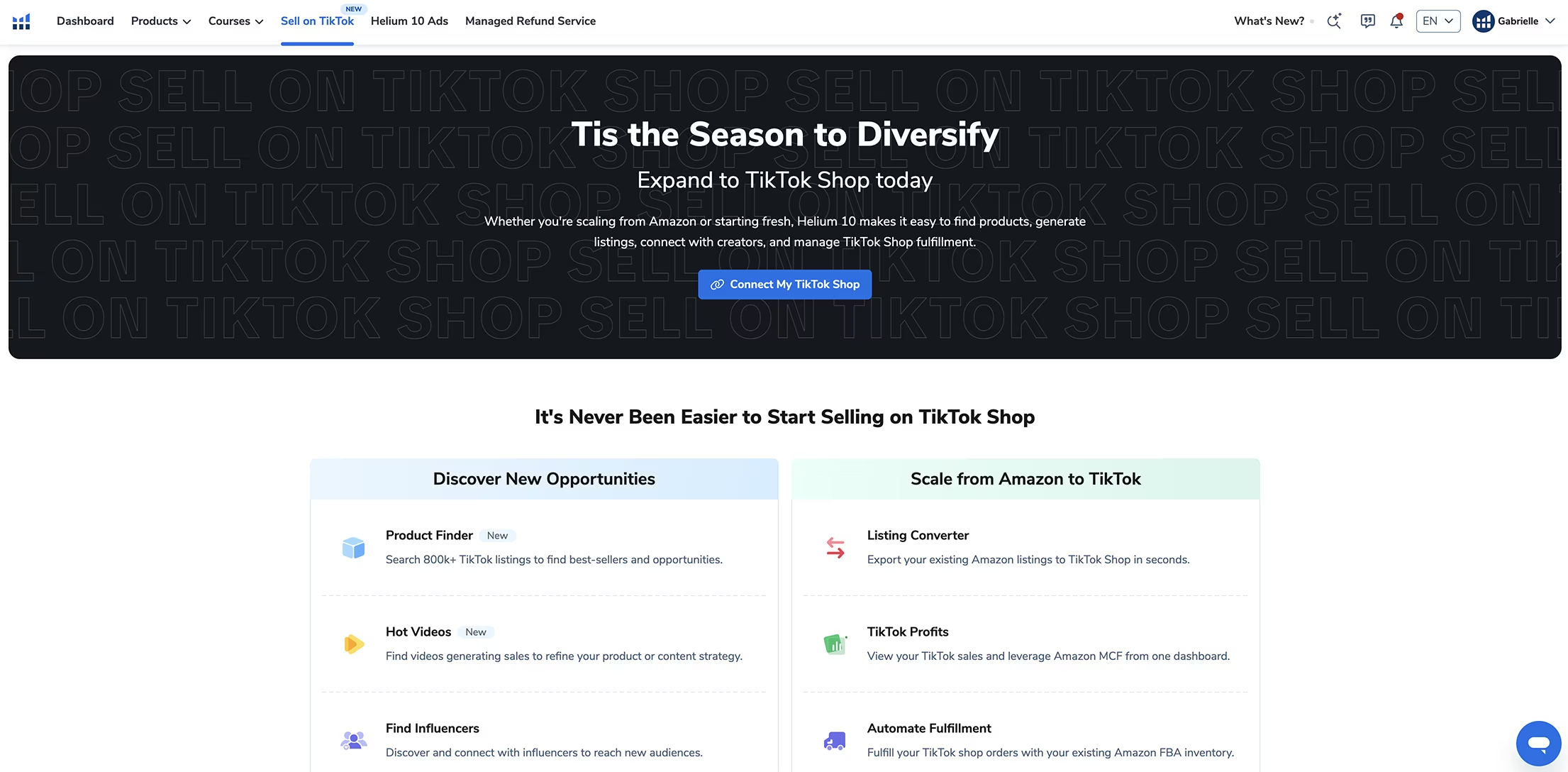
Recently, Helium 10 added tools specifically for TikTok sellers. As you probably know, combining Amazon KDP and Amazon Affiliate programs with TikTok content can generate substantial sales, so having research tools that work across platforms is incredibly valuable.
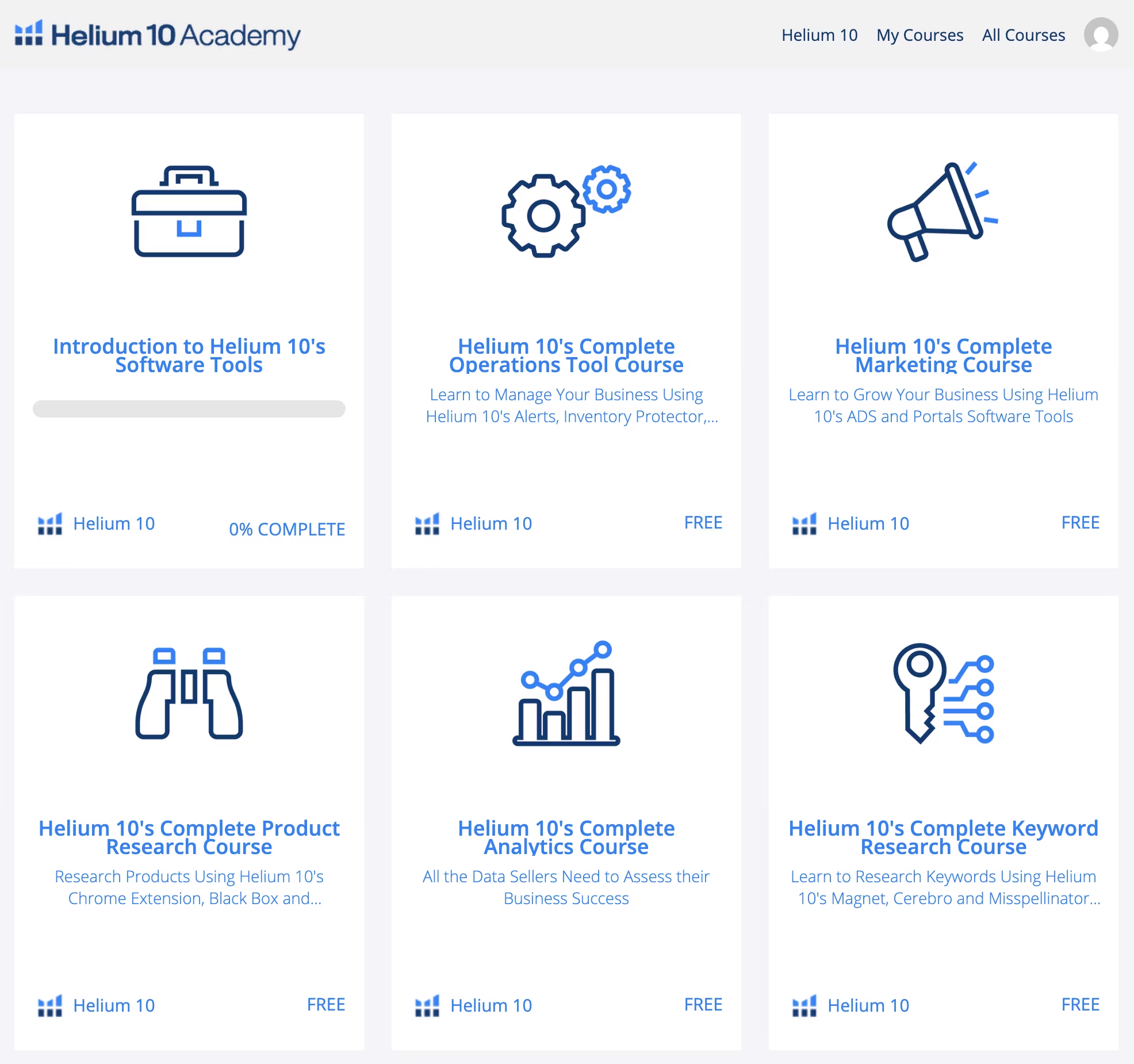
Comprehensive Training and Education included with Helium 10
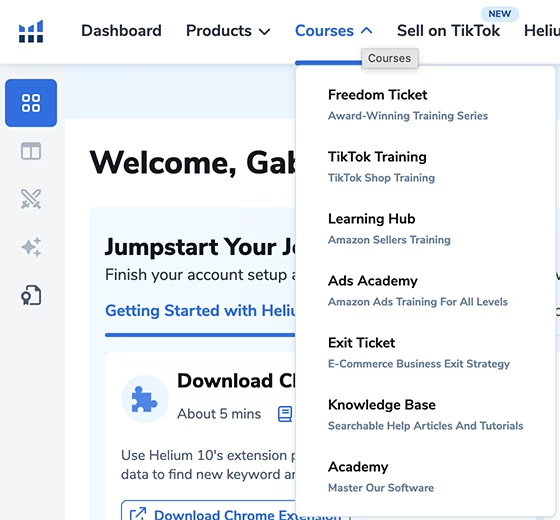
Another thing I love about Helium 10 is that I was happily surprised to see they provide everything you need to answer any questions that come up and to gain expertise using Helium 10's tools.
When you sign up, there are many easy-to-follow courses included with your plan, to understand everything you can do with Helium 10.
That's right - you don't need to pay for a separate course somewhere else on how to use the platform. The training is all included.
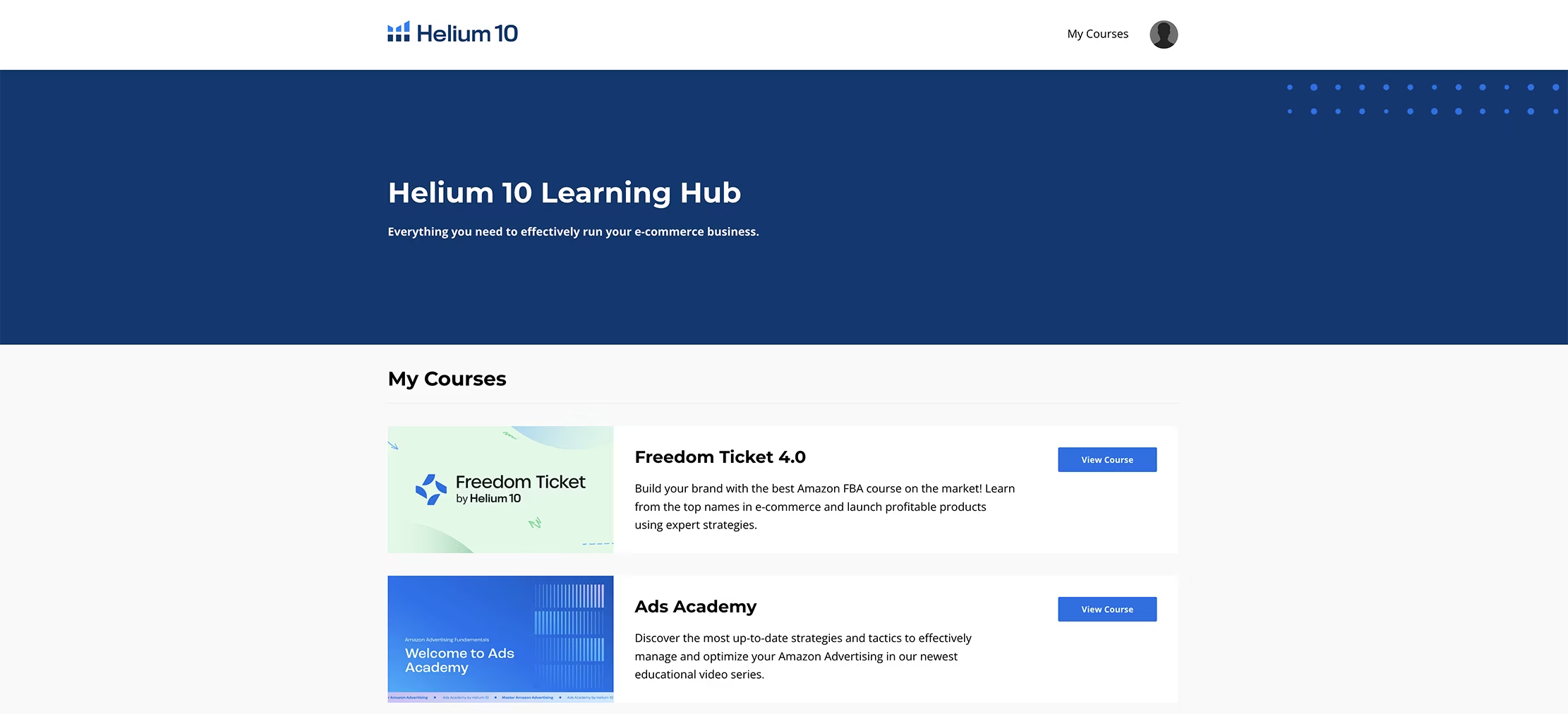
Freedom Ticket
This comprehensive course teaches you all the knowledge to succeed on Amazon. I feel it's mostly focused on Amazon FBA and Amazon Influencers, but it will definitely help you with any kind of Amazon product, including books.
Ads Academy
This course teaches updated strategies and tactics to manage and optimize your Amazon ads. If you're struggling with Amazon advertising for your books, this training will help you significantly reduce wasted spend and increase your return on ad spend.
Helium 10 Academy
This is a study-at-your-own-pace course specifically designed to help you master the Helium 10 software suite. It's super useful if you're serious about exploring Helium 10's full potential and want to become proficient with all the advanced features.
Final Thoughts: Is Helium 10 Worth It for KDP Authors?
Helium 10 is definitely useful for Amazon KDP authors, and not just through the Cerebro tool like some people claim. While I have tremendous respect for other KDP educators, I disagree that Cerebro is the only valuable tool and that Helium 10's other features are worthless for book publishers.
As I've shown you in this guide, KDP authors can leverage:
X-Ray for competitive analysis and market research
Cerebro for reverse-engineering successful books' keywords
Magnet for discovering new keyword opportunities
Black box and My List for tracking competitors over time
Follow-Up for automated review requests
Listing Builder for AI-powered listing creation and optimization
Included Helium 10 courses to increase their expertise in keyword and product research & learn other high income skills that are trending now
The platform is powerful, but it doesn't have to be overwhelming. Follow the step-by-step process I've outlined, focus on the tools that matter most for your publishing goals, and ignore the rest until you're ready to expand or have explored the included courses within Helium 10.
In conclusion, Helium 10 has become an essential part of my research workflow that I'm excited to share with you.
Your Action Plan & Useful Resources
Sign up for Helium 10 HERE and get an exclusive ongoing discount!
Or Get the Black Friday Deal HERE - 40% OFF Helium 10 Platinum Plan for 12 months!
Watch my video tutorial for a visual walkthrough of using Helium 10 for KDP research
Install the FREE Helium 10 Chrome extension and start analyzing bestselling books
Watch this video about my pre-launch and post-launch strategies
Get Self-publishing Titans Pro for additional KDP niche and keyword research
Use Gemsy to get book reviews quickly and boost your rankings
Check out My Amazon KDP Video Playlist with many self-publishing tutorials and tips!
Visit this page with my complete list of tried & true, proven and curated collection of KDP tools for authors
Disclaimer: As an Amazon Influencer and affiliate marketer, I may earn a commission on purchases made through my links at NO extra cost to you.
This content is educational only, results vary and are not typical, and no earnings are guaranteed.
You are responsible for your own financial outcomes. Please read my Terms and Conditions and Privacy Policy for more details.
Free eBooks!
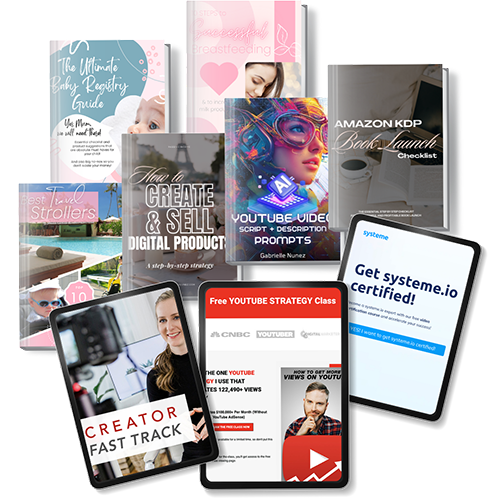
And get access to other free downloads, masterclasses and more! Just enter a valid email below.
You can opt-out anytime.
My Instagram Feed
Newsletter
Stay in the loop for new videos and special offers! And receive useful tips. Opt-out anytime.
Created with Systeme.io - Click to build yours for FREE today!