




The Blog
BookVillage Review: The Safest Amazon KDP Review Platform?
How to Get Genuine Reviews without Risking your KDP Account
If you're terrified of using book review platforms, you're not alone.
There are many voices warning about how Amazon can shut down your KDP account if you get book reviews the wrong way, and honestly, they're right to be cautious.
Lately I've been testing other book review platforms, and I recently discovered one that stands out from everything else I've tried.
It is called BookVillage, and it is quite different. This platform is obsessively focused on keeping your Amazon KDP account safe, and after testing it thoroughly, I understand why it's gaining attention in the self-publishing community.
Why Most Book Review Platforms Put Your Account at Risk

Before I dive into BookVillage, let me explain what makes most book review platforms dangerous.
Many platforms use coins, points, or credit systems. The problem? When authors pay extra to get more coins or points, they focus heavily on their own review requests and contribute fewer reviews for other authors. This can create a pattern that looks like a monetary exchange to Amazon, which is exactly what gets accounts flagged.
Amazon's algorithm is sophisticated. It can detect patterns that suggest reviews were purchased or swapped, even if you think you're being careful. I've heard too many stories of authors losing their accounts, and I take this risk seriously. My Amazon income pays my bills, so protecting my account is non-negotiable.
What Makes BookVillage Different
BookVillage was founded by someone with a Master of Science in Business and Statistics. In my conversations with the founder, I noticed immediately how scientific and professional his approach is.
My dad is a scientist, so I recognize that deep analytical thinking when I see it. This person isn't just running a review platform; he's solving a complex problem with data-driven methods.
BookVillage claims to be the only Amazon-compliant platform that allows you to get reviews without breaking a single rule. That's a bold claim, but after testing the platform, I believe they've earned the right to make it.
The platform operates on a fundamentally different model. Instead of coins or points, BookVillage functions as a community where contributions unlock opportunities, with many safety features to keep your Amazon KDP account safe.
There are no tiers, no premium levels, and no way for someone to spam their books more than others. Everyone who signs up gets the same advantages.
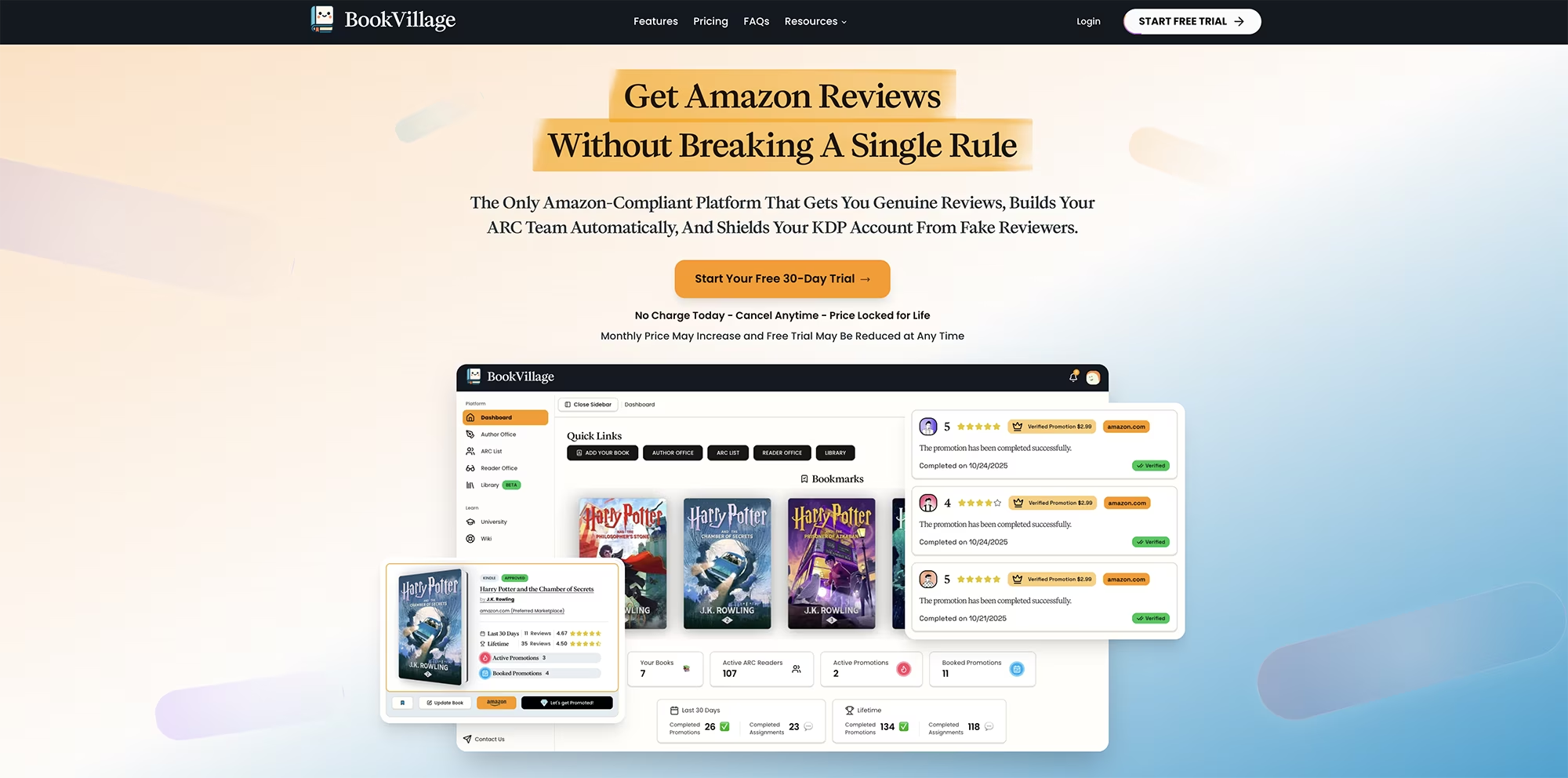
The Seven Key Safety Features That Protect Your Account
BookVillage offers seven specific advantages designed to keep you safe while getting reviews. Here's what makes this platform different:
No price tiers, coins or points system that creates monetary exchange patterns
Browser extension that prevents review swaps completely
One assignment per day with a maximum of six reviews per week
Mandatory five-day review window before you can submit
Fair book selection that shows small batches at a time
Advanced monitoring that detects and forbids AI-generated and low-effort reviews
Book Smart feature to automatically space out reviews (coming soon)
I'll walk you through how each of these features works and why they matter as we explore the platform together.
Quick Overview: How BookVillage Works
The Four-Step Review Process
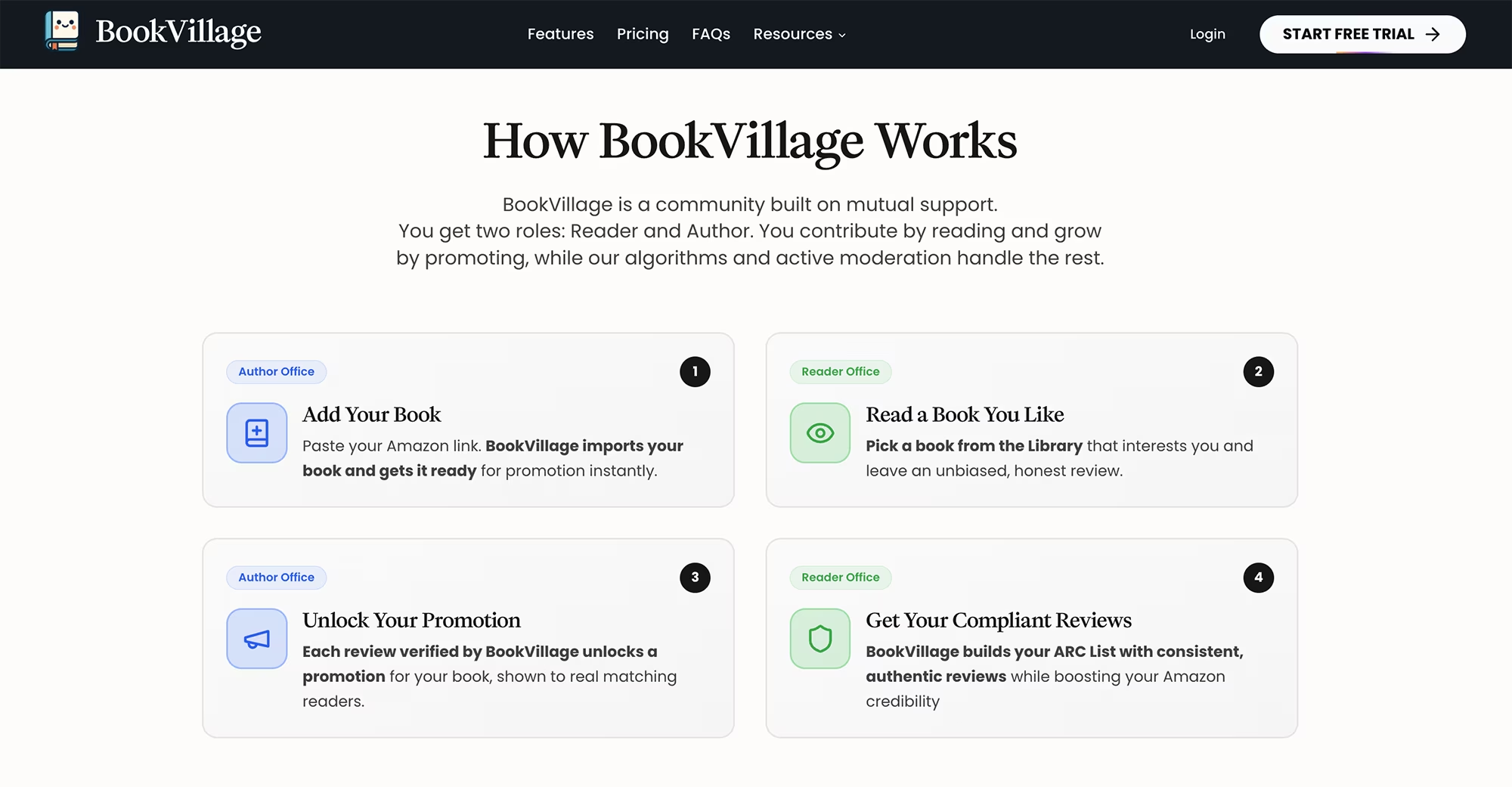
The system operates through four simple steps:
First, you add your book in what they call the Author Office, where you can view all your uploaded books.
Second, you read other people's books in the Reader Office, which displays the books you've chosen to review. You select books from the Library section.
Third, every time you review a book, you unlock the right to promote your book. BookVillage's algorithm ensures that no review swapping occurs, a practice explicitly prohibited by Amazon's terms and conditions.
Fourth, BookVillage automatically builds what they call an ARC list of consistent and authentic reviewers, which boosts your Amazon credibility over time.
The Browser Extension That Prevents Review Swaps
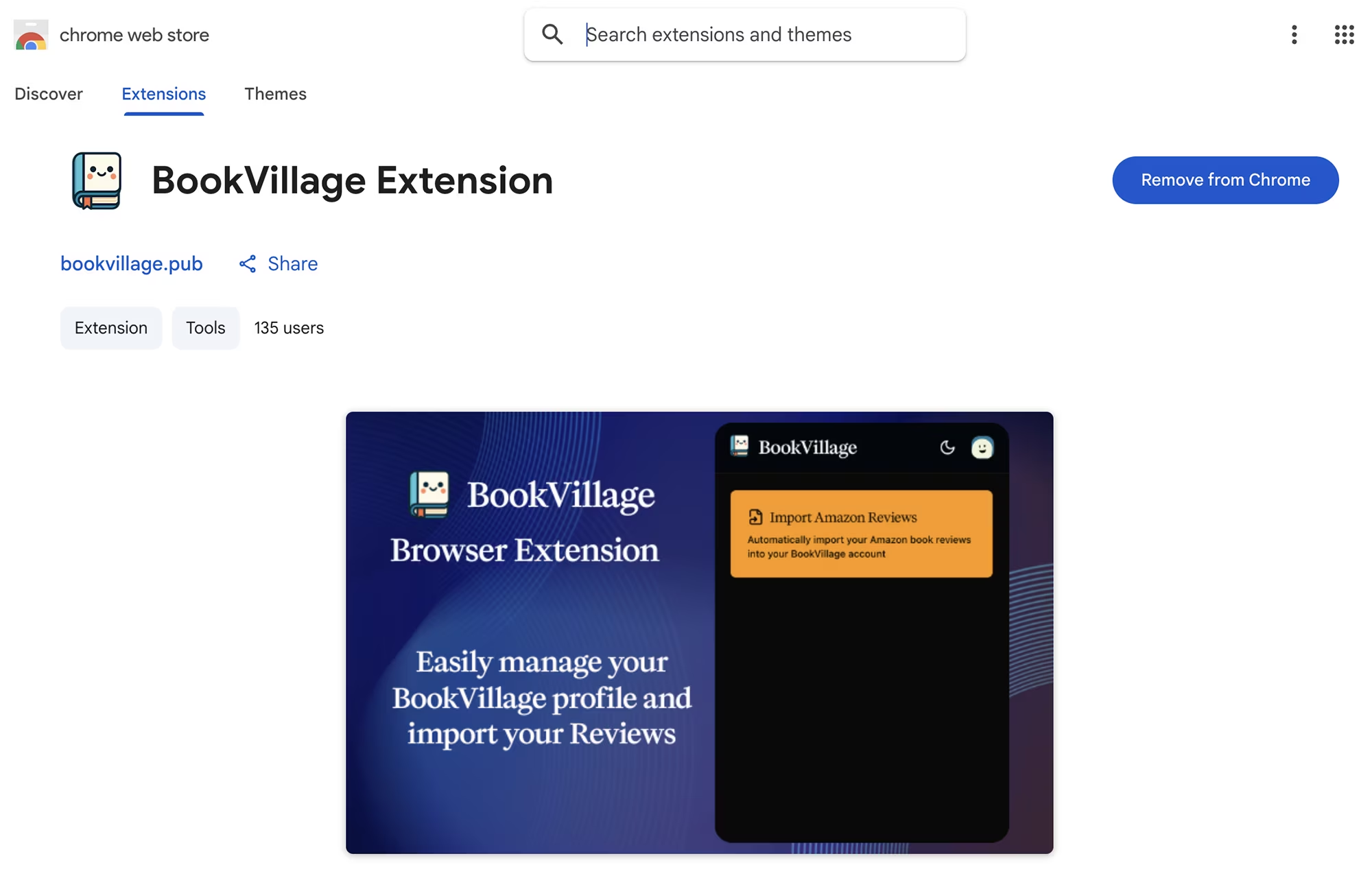
Here's something no other platform offers: the BookVillage browser extension.
When you first log in, the platform asks if you've reviewed books on Amazon before. If you choose yes, it provides the link to the extension, which allows you to automatically import all your past reviews. (Note: you must be logged into your Amazon account in another window).
This is brilliant. Each review platform has its own algorithm, so if you're using multiple platforms, you could accidentally end up with a review swap without realizing it! But that will never happen with BookVillage if you use this extension.
BookVillage checks all the reviews you've submitted in the past to completely eliminate this risk.
I installed the extension following their prompts. The extension is available for both Chrome and Firefox. And the process took less than two minutes.
When I returned to BookVillage in my browser tab, it detected the extension was installed.
I pressed continue to activate it, chose import reviews, and it automatically pulled all my past reviews. Once it finished, it sent me back to the dashboard, and I was ready to start using the platform.
However, if you prefer not to use the browser extension, you can also do a manual import of your past reviews. The choice is yours.
How to Get Started With BookVillage - Full Walkthrough
Sign Up for 30 Days FREE
When you sign up using my link here, you get a free trial that locks in your price for life after that period ends, and the first two months at half price!
Your plan includes everything I'm about to describe. Remember, there are no tiers here. Everyone gets the same features and the same fair chance.
Understanding the Dashboard
When you log in, you'll see the dashboard with four main sections on the left:
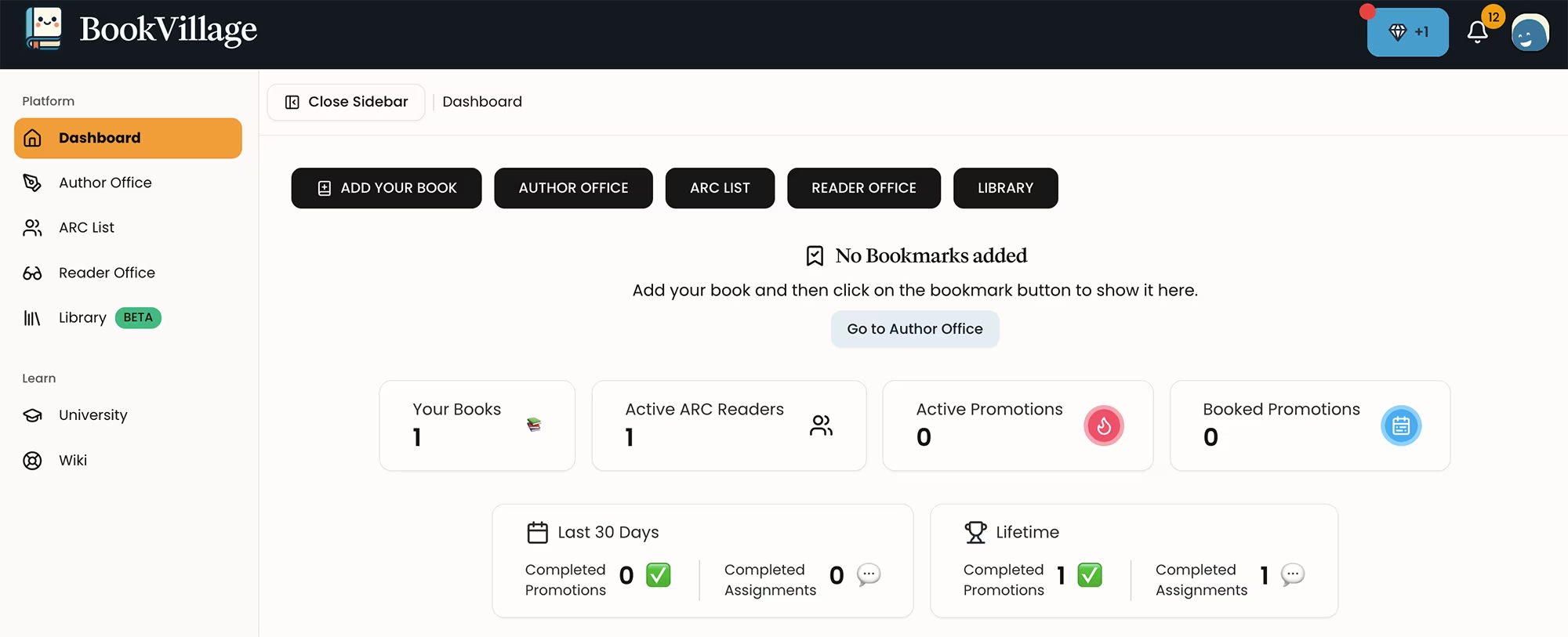
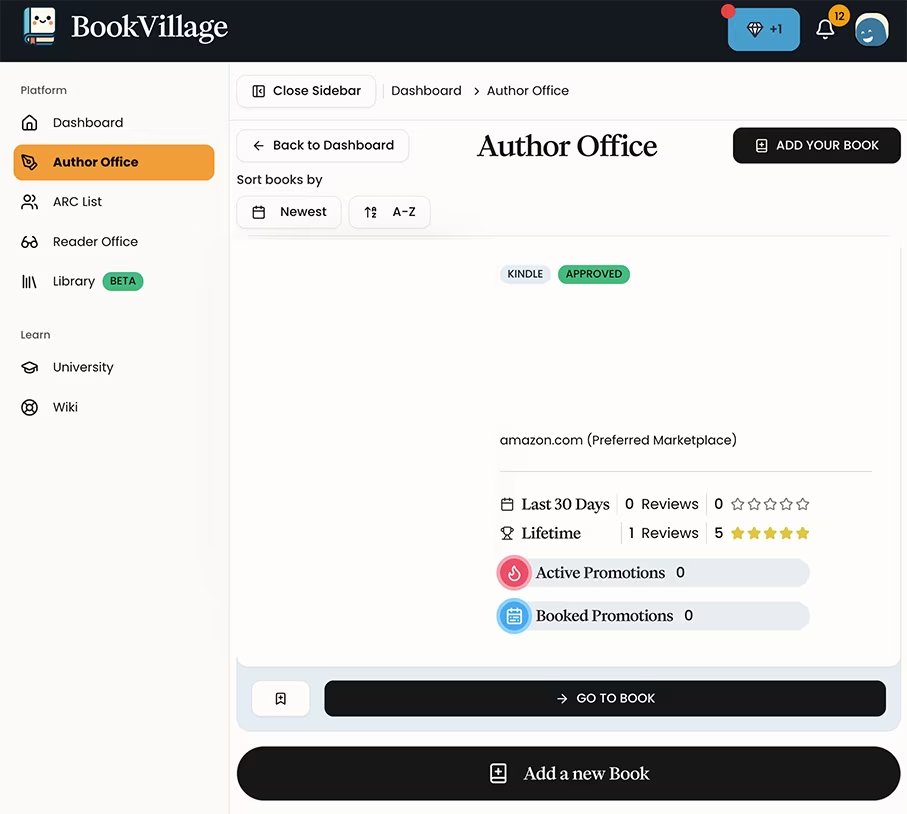
The Author Office stores your uploaded books.
The ARC list shows your reviews.
The Reader Office displays the books you've chosen to review.
The Library is where you select books you want to read.
The first time you enter each section, BookVillage presents a window explaining everything you need to know. They are incredibly thorough, and I appreciate this approach.
Please read those pop-up messages and don't skip them. They contain important guidelines and information that could protect your account. You have to acknowledge that you read them to continue, and they won't pop up again.
Uploading Your Book
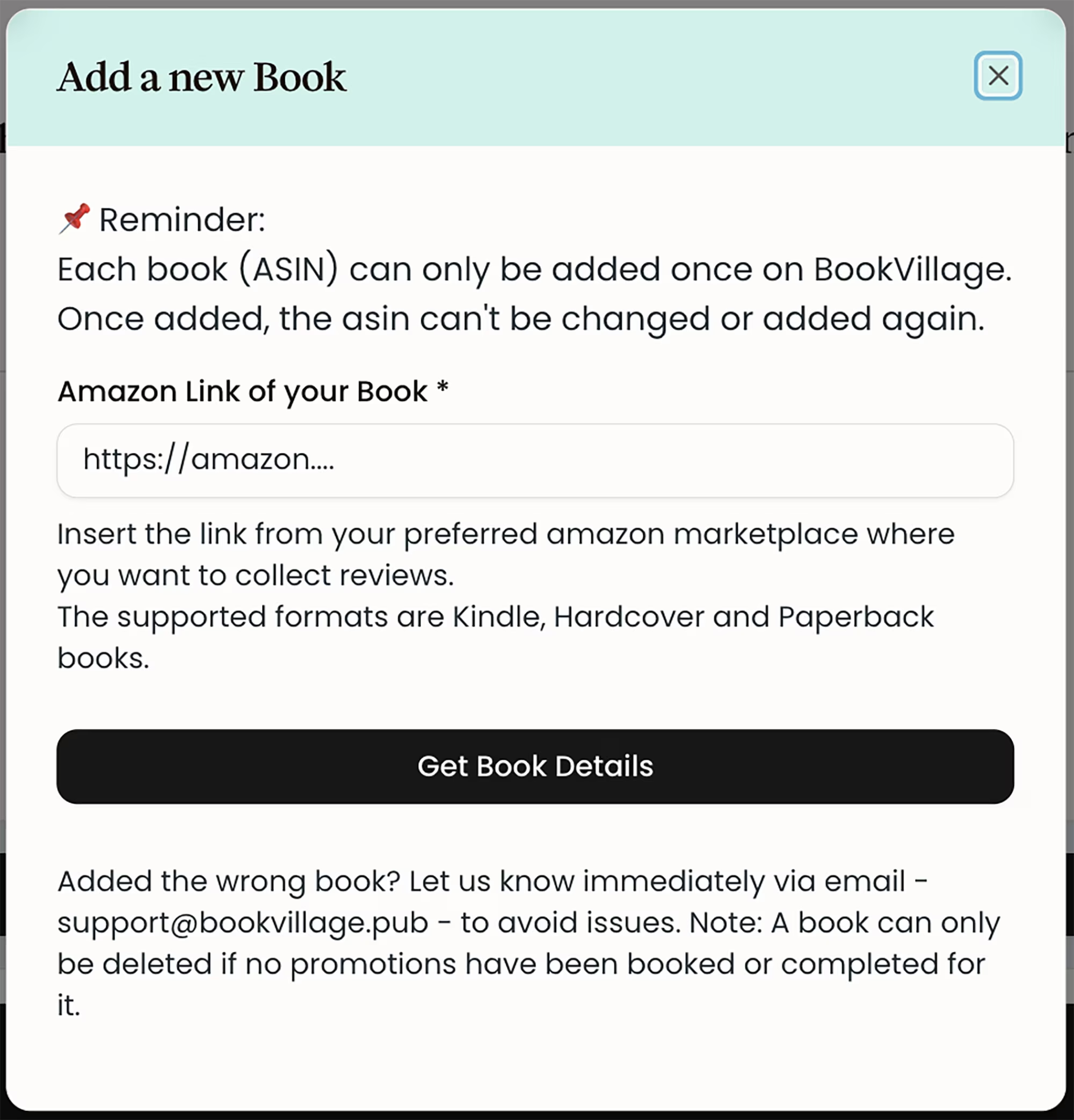
To upload the book you want reviewed, press "add your book" and follow the prompts.
I love that it automatically grabs your book details using your Amazon link. You don't have to manually copy and paste all your book's information.
You can add a message for your readers and update your book at any time. BookVillage will send you an email once your book is approved.
Requesting Your First Promotion
If you press "Let's get Promoted" for the first time, BookVillage provides information on how the promotion system works.
The platform depends on contributions, and it's only fair that you contribute to the community. The type and number of promotions you can activate depends on your contributions.
As a new user, you can request one of the following types of book promotion right away without reviewing another book first:
A Standard Unverified promotion,
a Kindle Unlimited promotion,
or a Free Verified promotion.
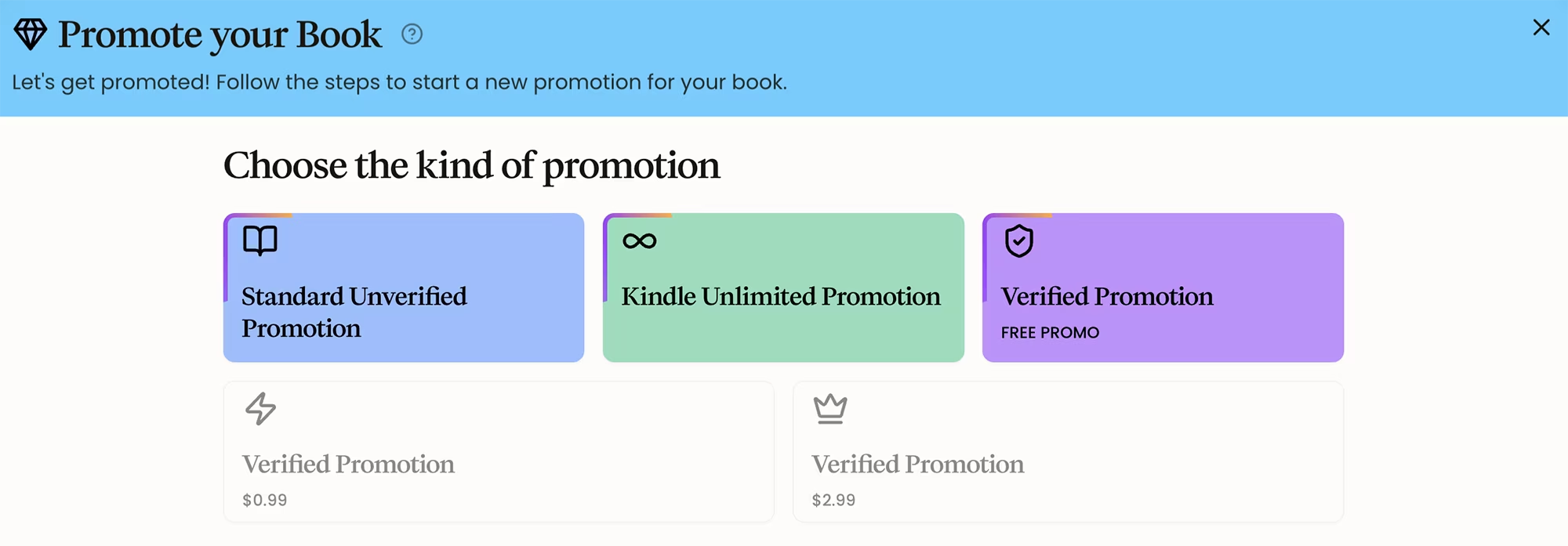
I could choose a Kindle Unlimited promotion immediately because my book is enrolled in KU. If your book is running a free ebook promotion on Kindle because it's your book launch, you can start promoting it right away too.
However, if your book has a cost and isn't running a free promotion, you need to review someone else's book first.
The Verified promotions, which require people to buy your book, become available after you've reviewed books. I noticed they require you to be at two low different price points: $0.99 or $2.99. This is definitely a smart strategy to get your book reviews faster. You can lower your ebook price temporarily to qualify.
This is the second platform I've seen that limits book prices, and I understand why. It ensures that reviewers actually get reviews and keeps the system fair.
I reached out to BookVillage asking for more price options, and they said they will adjust that soon. However, I do think lower price options should remain available for better results.
My book has a higher price, so I didn't request a verified promotion immediately. I needed to change my book price on KDP and submit a review for others first. You can always return to your book anytime in the Author Office.
Choosing Books to Review in the Library
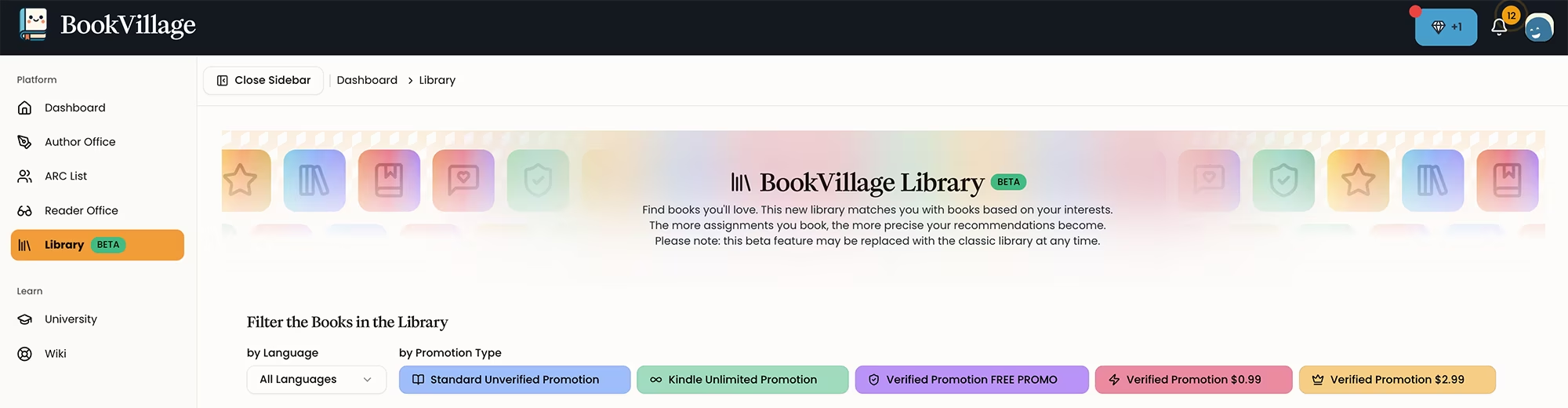
When I went to the Library for the first time, guidelines popped up warning about their advanced monitoring systems and how they forbid low-effort reviews generated with AI tools. This is fantastic.
I strongly dislike lazy reviewers who generate their reviews using AI. As I've mentioned before, that is the fastest way to get your Amazon KDP account banned. Yes, your account as a reviewer can be shut down. The author receiving the review can be affected too, but the first person to get flagged would be YOU if you're using AI to create book reviews.
I created a video about this topic! You can check it out HERE.
BookVillage has strict rules to protect all authors, both the reviewers and the reviewed. You'll get kicked out of BookVillage for not making an effort to provide an honest, well-thought review. And Amazon KDP could close your account too for submitting low quality AI generated reviews.
The Weekly Review Limit
I really like how they have a limit of one assignment per day, with a maximum of six per week. That means you can only review six books per week. Other book review platforms allow more reviews per week, which can look suspicious to Amazon.
All platforms I've tested do have book review limits, but BookVillage is more strict.
This limit exists for your own Amazon KDP account safety. Lately I've been noticing that Amazon itself limits the amount of product reviews you can leave per day, so this makes perfect sense.
The Five-Day Review Window
The turnaround time here is fixed. You can only submit your review five days after you choose a book.
This is excellent. This also keeps reviewers from submitting excessive reviews or reviewing too soon, which could get you flagged on Amazon.
Remember, these are all excellent safety measures to keep your Amazon KDP account safe.
How Book Selection Works
Unlike other platforms, in BookVillage you are shown only a small amount of books at a time. You can choose to skip or open a book. This is good because everyone's books get a more fair chance of getting picked.
On other review platforms, people usually choose the cheapest books to review, or the ones that give them more points. Here, the choice depends more on whether you're actually interested in a book or not.
Establishing your Reader Profile
It's important to establish your reader profile first, so that BookVillage shows you books that are in your marketplace. Mine is in the US, so I chose Amazon.com. You can only change this reader profile once every 14 days, so be careful to select the correct one.
Manual or Automatic Review Detection
BookVillage allows you to choose the review detection method. Right now they have manual detection only, but they are adding automatic review detection.
That means you will no longer have to submit your Amazon review link like on other platforms.
I haven't seen any other review platform that detects your Amazon review link automatically! You usually have to copy your review link on Amazon and paste it, and some people struggle finding that review link. This is another thoughtful feature that simplifies the process.
The Review Process Step by Step
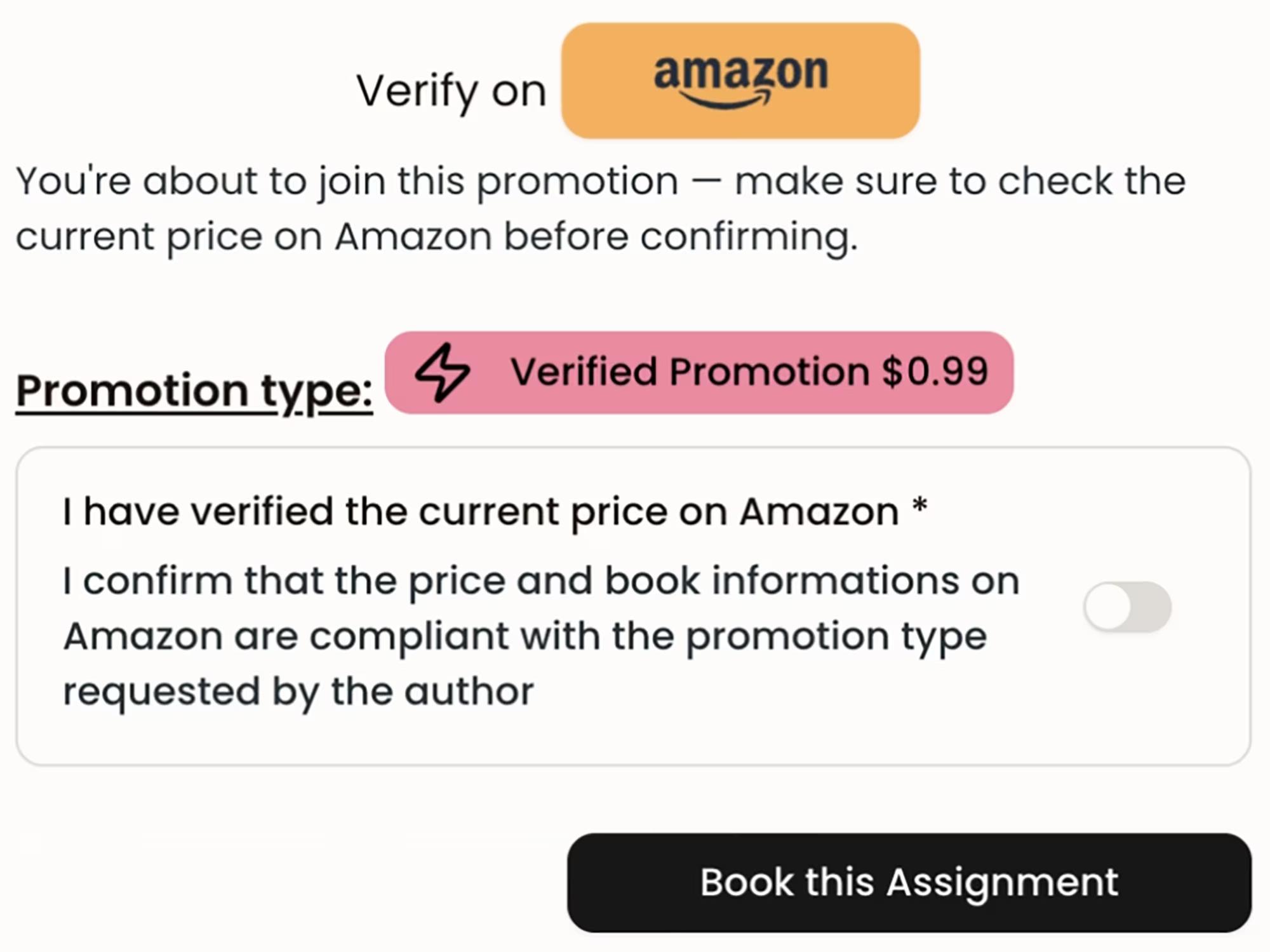
When you open a book in the Library, it provides more information about that book, including the link to it on Amazon and the promotion types it has available. I chose a verified promotion.
I like that BookVillage asks you if the price is accurate and if it matches the price on Amazon. If it doesn't, BookVillage will send the author an email warning them that the price is not accurate, and they will need to update their book.
If everything looks good, then choose "Book this assignment."
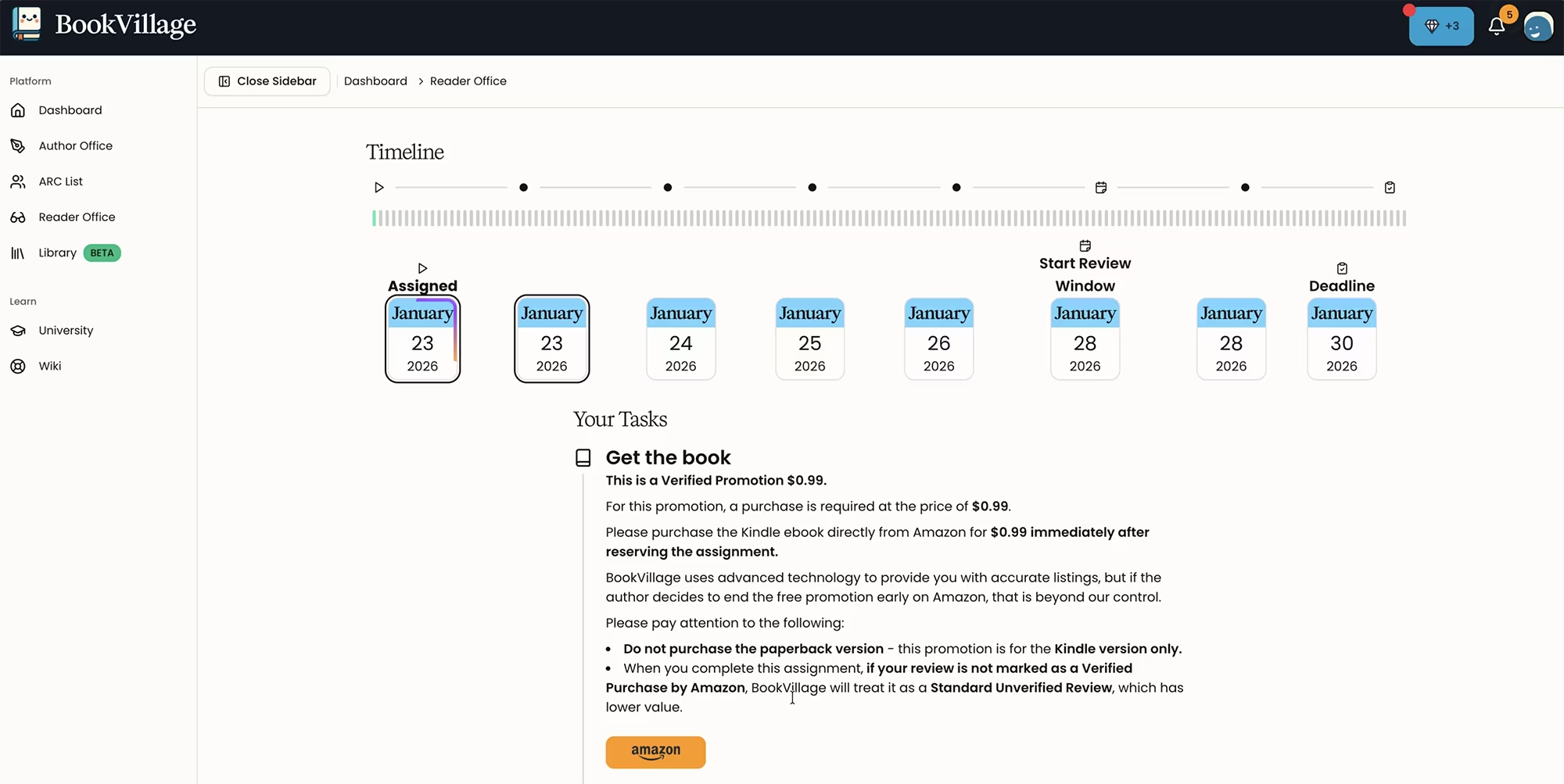
Once you do that, this book is placed in your Reader Office. The screen shows you all the information about the review window, the deadline, and also a button to cancel the assignment if you wish.
Your Review Tasks
If you scroll down, it tells you the next steps to follow, which they call your tasks. You must purchase the book, read it for the following days, and then submit your review on Amazon.
Remember to follow BookVillage's guidelines: No lazy AI reviews. No low-effort useless reviews. If you do that, you will be expelled from BookVillage and your account will be deactivated.
More importantly, your KDP account could get shut down. So not only will you get banned from BookVillage, but also KDP. Submit a real and honest review. It's for your own good.
You can view all your assignments any time in the Reader Office.
Right after submitting your review on Amazon, you must complete the assignment on BookVillage. After that, you have seven days to provide the Amazon review link.
You usually get an email from Amazon once your review is approved. When you're ready to submit the link, don't choose permalink. Just right-click on the title of your review, and copy the link address. This is the link you will provide to BookVillage.
Next, your review will have to be approved by BookVillage, and now you can promote your book. This means you can request a review for your book.
How Promotions Work After You've Contributed
The number of promotions you can run depends on how many contributions you have made to the village by reviewing other people's books. To get reviewed, go to the Author Office, choose "Go to book," and select "Let's get promoted."
The types of promotions that appear activated are the ones you have now available. I chose Kindle Unlimited. BookVillage will soon have an option for scheduling promotions, which I think is great. I like that they are constantly improving their platform.
I chose "Single promotion," which starts immediately. It allows me to request reviews right now. I see they have a "Book Smart" option coming soon to automatically space out reviews, which avoids getting multiple reviews on the same day. That is another awesome safety feature.
Press "Start promotion," and your review request is live. At the bottom, it shows you the promotion you just created and confirms you're looking for readers.
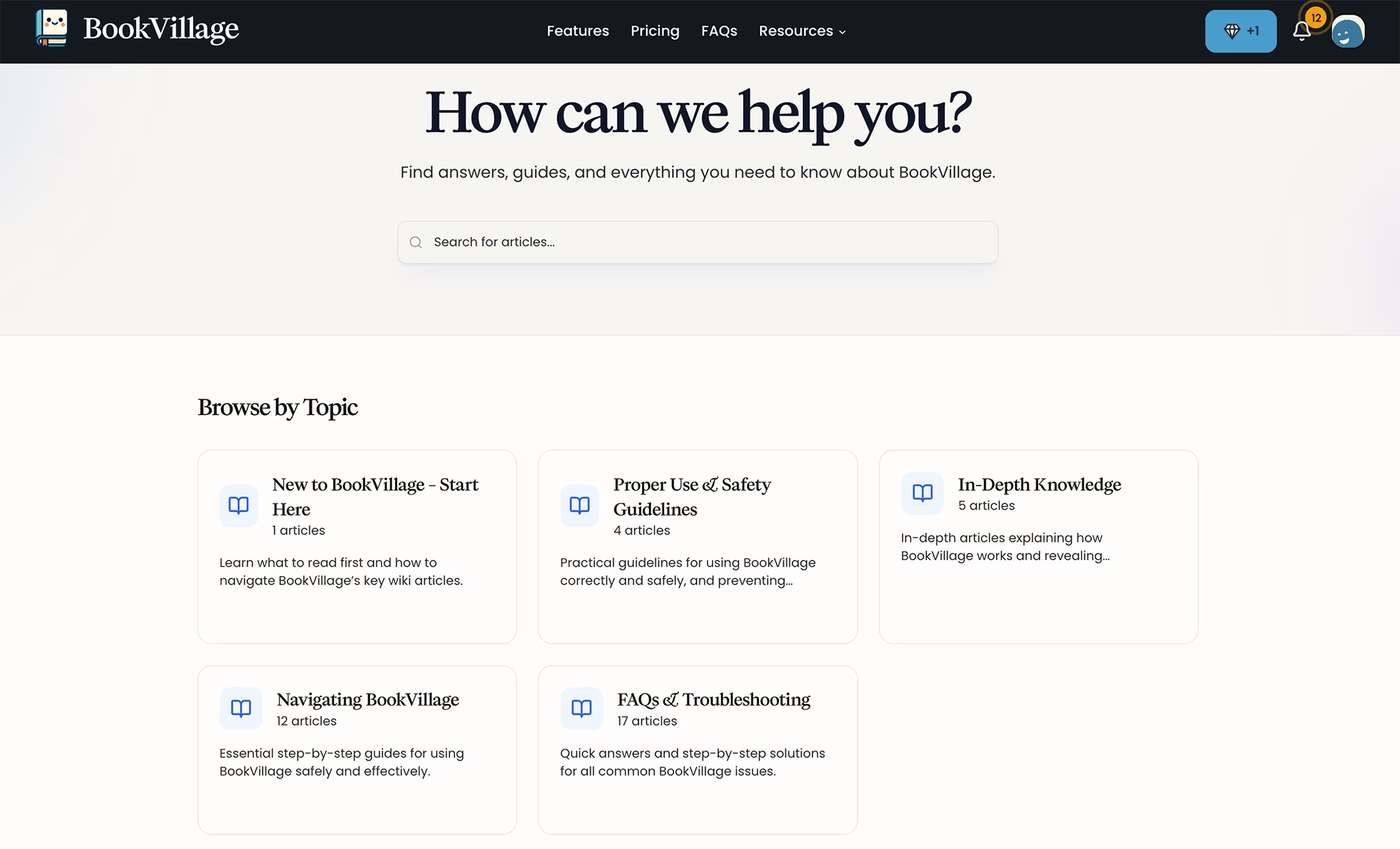
The University and Wiki Resources
Finally, I want to mention something I found unique. BookVillage has a University and Wiki section to learn how to use the platform in the best way possible. This includes lots of Amazon KDP tips and information on how to keep your account safe.
This educational component demonstrates how seriously they take your success. They're not just providing a service; they're teaching you how to protect your publishing business.
Conclusion: Why BookVillage Feels More Professional
BookVillage is so different from other book review platforms.
At first it felt strange to see the names Author Office, Reader Office, and so on. But it makes sense.
They are treating you in a professional way, giving you the respect you deserve as an author, a reader, and a part of their community.
You are a published author, so each section of the platform gives you a special space: your office to follow each task and get reviews safely as part of their community.
This attention to detail and respect for authors is refreshing in an industry where many tools treat you as just another user.
Quick Recap & Take Action Now
Getting reviews for your KDP books doesn't have to put your account at risk. BookVillage offers one of the safests ways to build genuine social proof while following every Amazon rule. Here's your action plan:
Sign up for BookVillage to lock in lifetime pricing
Install the browser extension to prevent accidental review swaps (you'll find it inside when you sign up)
Set up your reader profile for your correct marketplace
Start by reviewing books to unlock verified promotions
Read the University and Wiki sections to maximize your safety and KDP knowledge
Other Useful Resources
Try BookVillage - Amazon-compliant book review platform with advanced safety features
Titans Pro. Find the best keywords for your Amazon KDP Books and Ads, and lots of book creation tools.
Helium 10. The all-in-one tool suite for Amazon sellers and KDP authors with keyword research, listing optimization, and market analytics.
100 Covers. Get a professional book cover designed for you, for a very low cost!
Visit this page with my complete list of tried & true, proven and curated collection of tools for Amazon KDP!
Disclaimer: As an Amazon Influencer and affiliate marketer, I may earn a commission on purchases made through my links at NO extra cost to you.
This content is educational only, results vary and are not typical, and no earnings are guaranteed.
You are responsible for your own financial outcomes. Please read my Terms and Conditions and Privacy Policy for more details.
Free eBooks!

And get access to other free downloads, masterclasses and more! Just enter a valid email below.
You can opt-out anytime.
My Instagram Feed
Newsletter
Stay in the loop for new videos and special offers! And receive useful tips. Opt-out anytime.
Created with Systeme.io - Click to build yours for FREE today!